Tip of the Week: Easily Change Proton Versions in Junk Store
This Week’s Pro Tip: If a game shows a black screen, won’t launch, or crashes immediately, try changing the Proton version. It’s often the fix.
Note: This works on both the free Decky plugin and Junk Store 2.0.
The Problem
We’ve all been there: you install a game, hit play, and… nothing. After a bit of digging, someone suggests trying a different Proton version.
Junk Store makes this easy. You can change the compatibility tool (Proton, GE-Proton, Proton Experimental) directly in Game Mode using Steam’s built-in compatibility menu. No manually entering environment variables or launch arguments, and no separate compatibility tool management. As with other features, Junk Store leverages what’s already there inside Steam.
You’ll still need to download your Proton versions using a tool like ProtonUp-Qt or Wine Cellar. But once downloaded, it’s just a matter of navigating to the menu and selecting the version you want.
The Quick Fix
- Open your game in Junk Store
- Press Y to go to Steam's game page
- Select the gear/cog icon
- Choose Properties
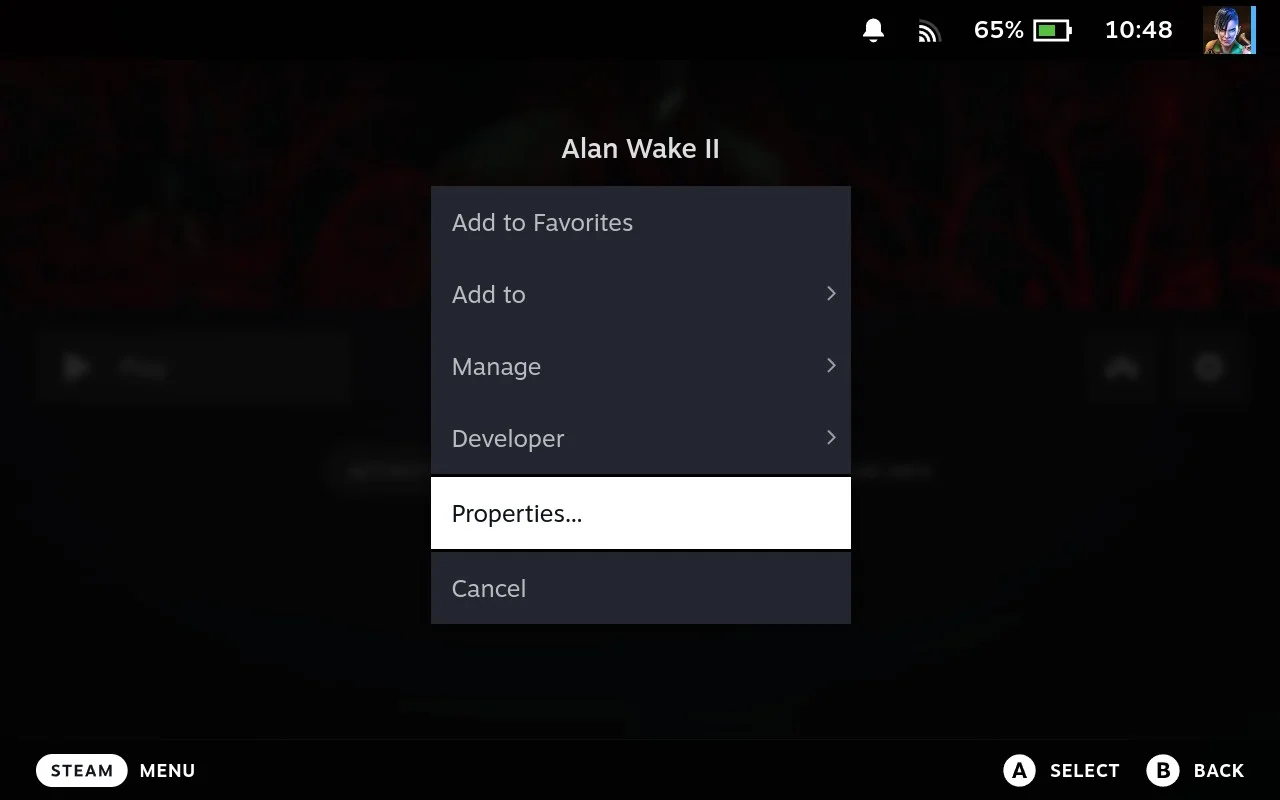
- Go to Compatibility tab
- Select a different Proton version from the dropdown
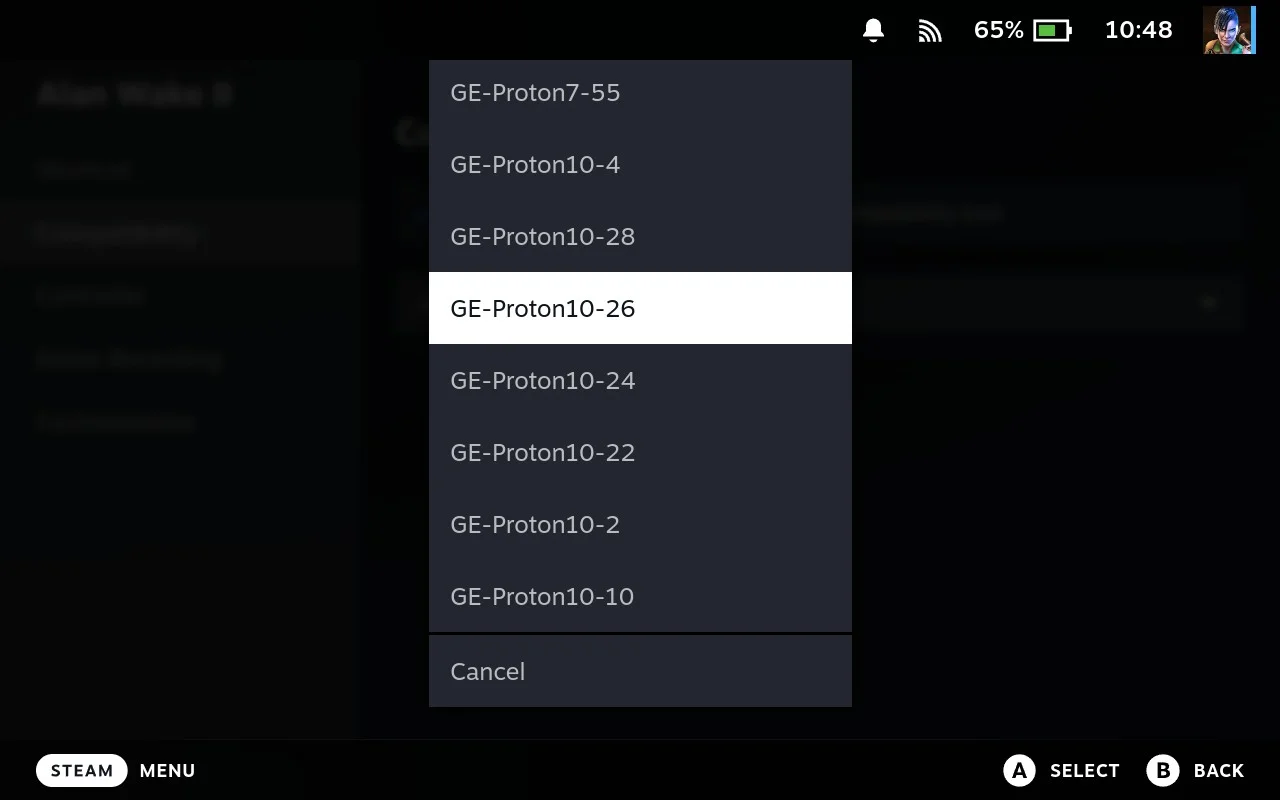
That’s it. The setting saves automatically for that game.
Alternative: From Steam Library
You can also change Proton directly from the Non-Steam tab in your Steam Library:
- Find your game in Steam Library (Non-Steam tab)
- Press the Start/Options button (hamburger menu ☰)
- Select Properties
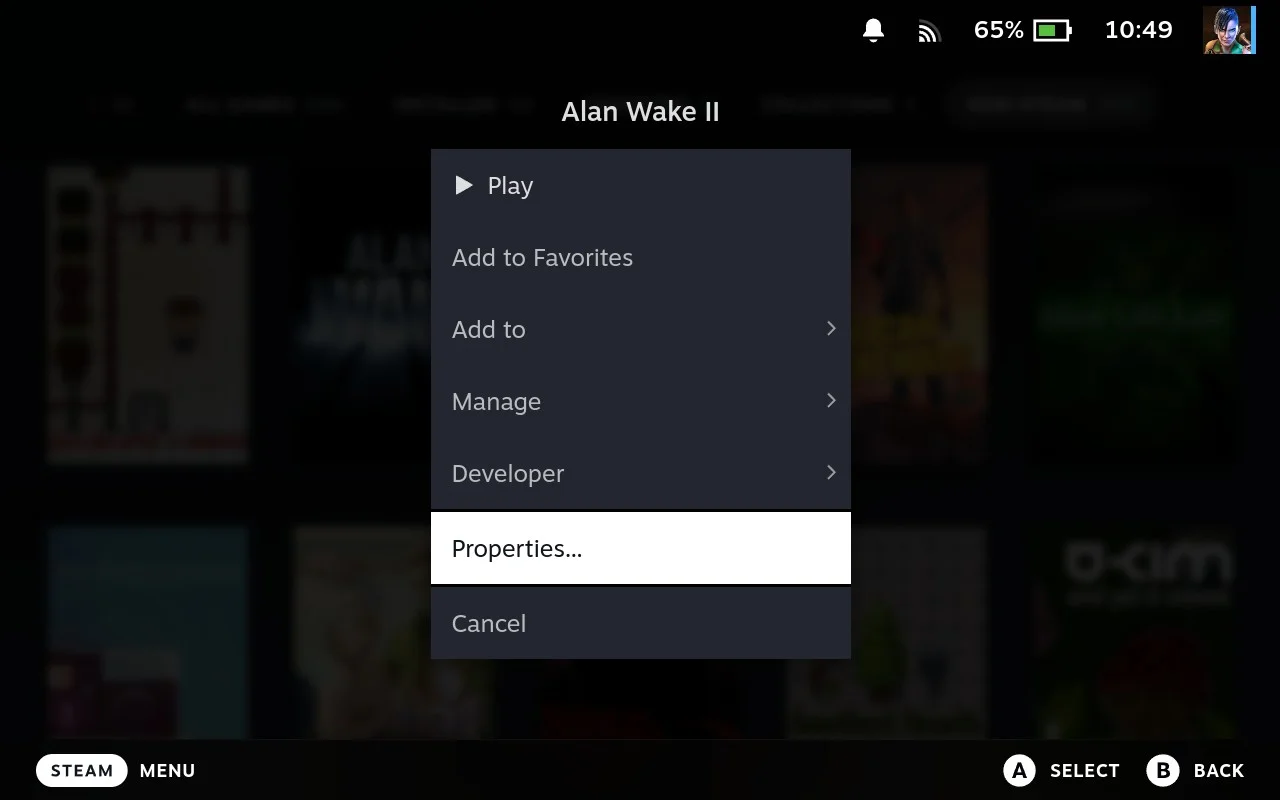
- Go to Compatibility tab
- Select a different Proton version from the dropdown
Same result, just a different way to get there.
Full Step-by-Step Guide with Screenshots →
Which Proton Version?
Not Sure Which Version Works?
Check our Games Tested page or ProtonDB.com to see what others are using for your specific game.
Hope this helps get your games running! Questions? Our team is always ready to help.
Cheers,
The Junk Store Team
Want hassle-free Steam Deck gaming?
🚀 Try Junk Store 2.0 Free for 7 DaysGame Mode native — no Desktop Mode switching
Have questions about this tip? Join our community on Discord or Reddit!