Change your Epic, GOG, or Amazon game language settings directly in Game Mode - no desktop switching required. There are two methods:
Method 1: Environment Variables (for individual games)
- From the game page in Junk Store, click the ⚙️ Settings menu
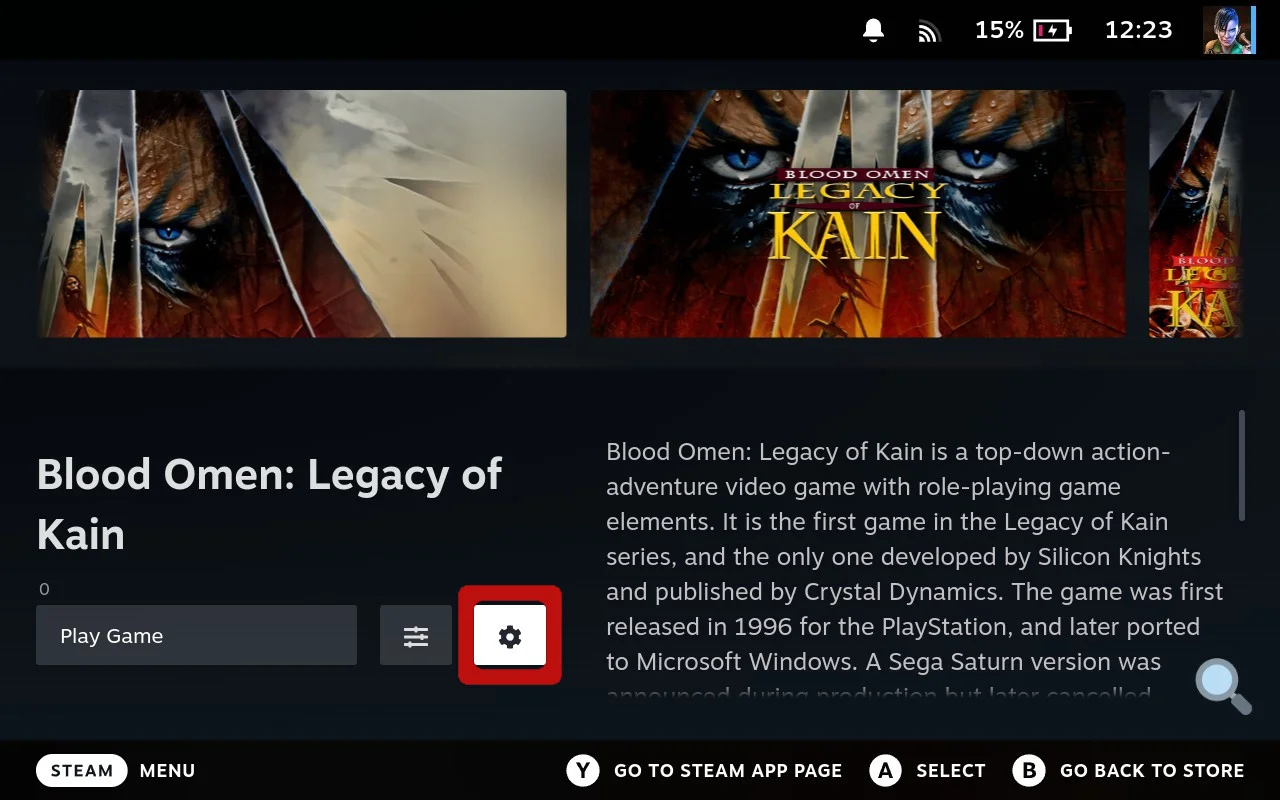 Click the ⚙️ Settings menu from the game page
- Select Game Configs
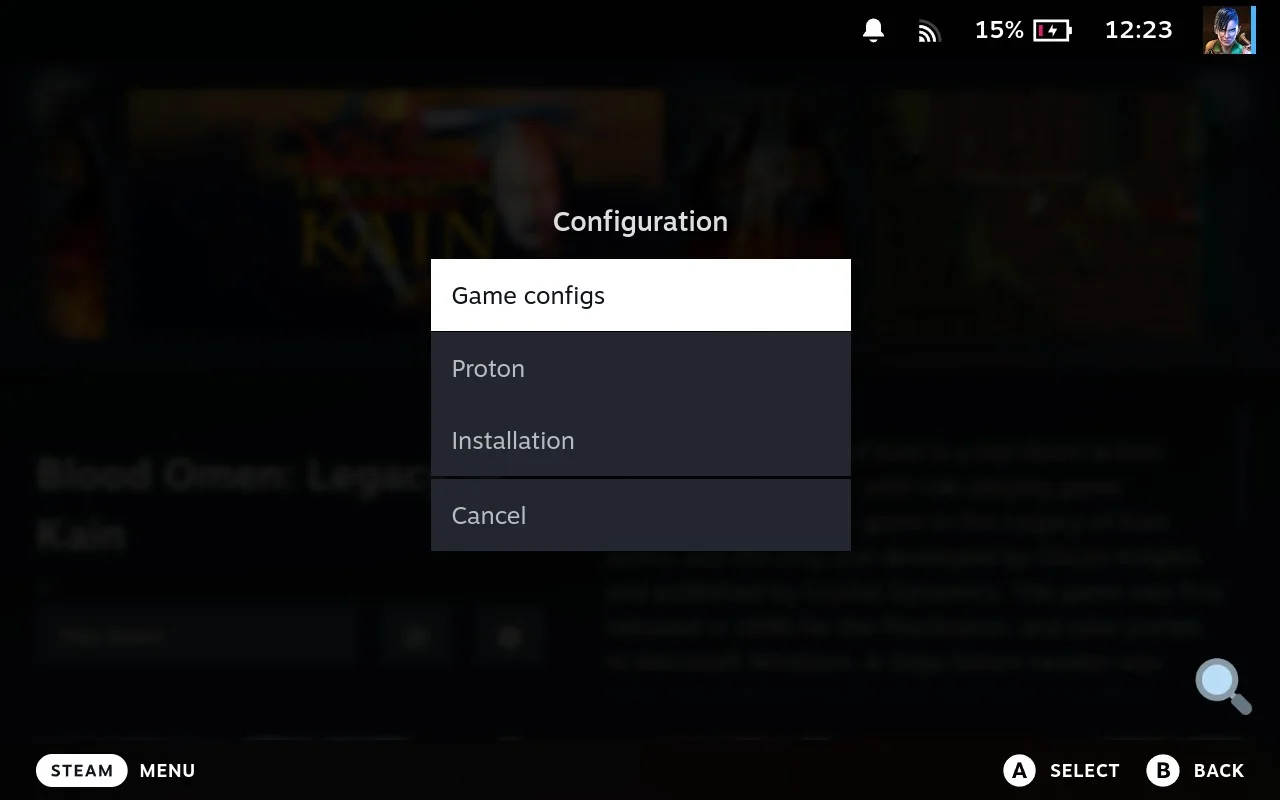 Select Game Configs to access the configuration screen
- Change the dropdown to All
- Click ENVIRONMENT dropdown, click on LANG and select your preferred language
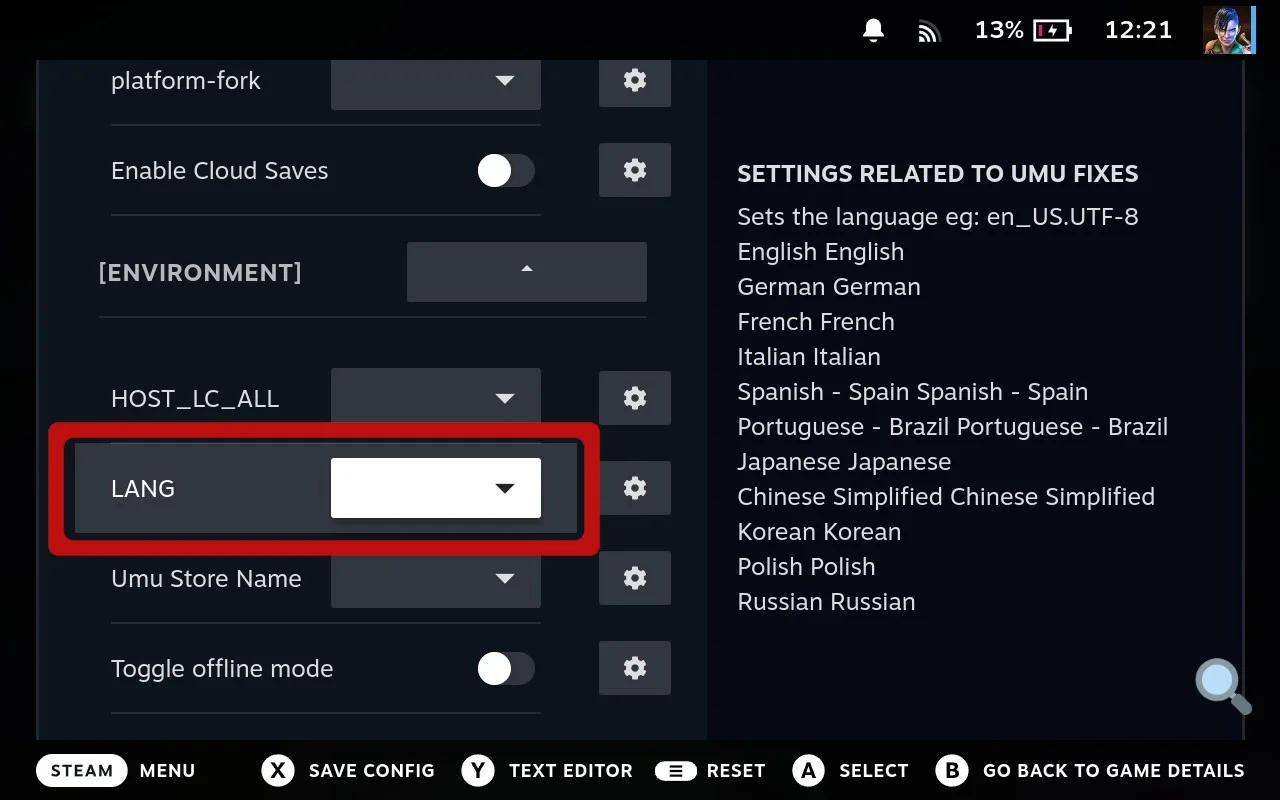 Click on LANG and select your preferred language
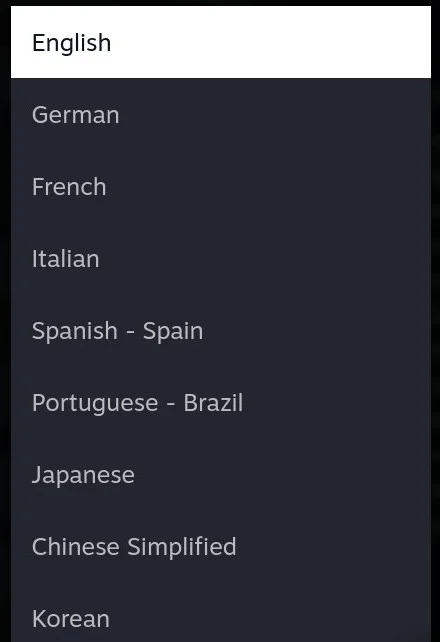 Example of language selection
- Press X to save changes
Method 2: Installation Settings (affects game installation language)
- Select the appropriate tab for installation settings, then click the ⚙️ Settings menu from the game page in Junk Store
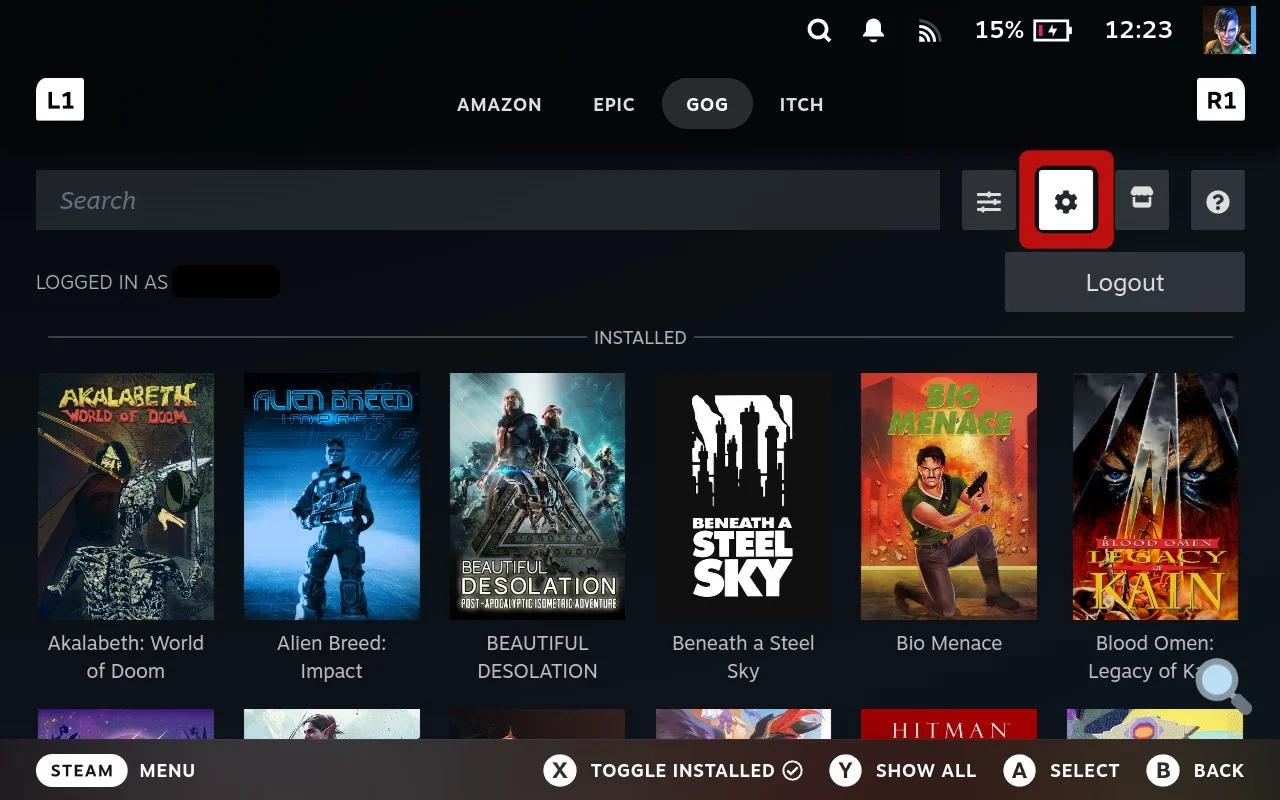 Select the tab for installation settings and language configuration
- Access the installation settings and configure the language preference
Access the language settings and select your preferred language
Example of language selection for installation
- This will download and install the game with your selected language files
- Note: If changing language after game installation, update the game from the ☰ Slider menu to pull in new language packs
Your game will launch in the selected language - all managed from Game Mode with no additional tools needed.
Need More Help?
If you run into trouble, check out:
- Universal: FAQ Section for common questions
- Universal: Troubleshooting Guide for technical issues
- Decky Plugin: Plugin-specific help and troubleshooting
- 2.0 Standalone: Version-specific help and troubleshooting
Still stuck? Get community help: