Tip of the Week: Update, Repair and Verify Games
This Week’s Pro Tip: Use the sliders menu on any installed game to update, repair, or verify your game files - all without leaving Game Mode!
Note: This feature works in both versions of Junk Store.
The Problem
Every now and then we get questions about how to update games due to new patches, or how to add newly purchased DLC content to already downloaded games (i.e. Cyberpunk 2077). Don’t waste time downloading games over and over again, instead use the Update, Repair or Verify functionality built into Junk Store without leaving Game Mode or needing to restart your Steam Deck.
Common scenarios when you may need to use this:
- Newly purchased DLC content isn’t showing up in-game
- New patch released for one of your games - Rocket League, Fall Guys, ZZZ, Arknights: Enfield, etc.
- During download some game files got corrupted
- Game crashing on launch that was working fine
Where you can find these functions:
- Go to your installed game in Junk Store
- Open the game details
- Select the sliders menu (three lines icon)
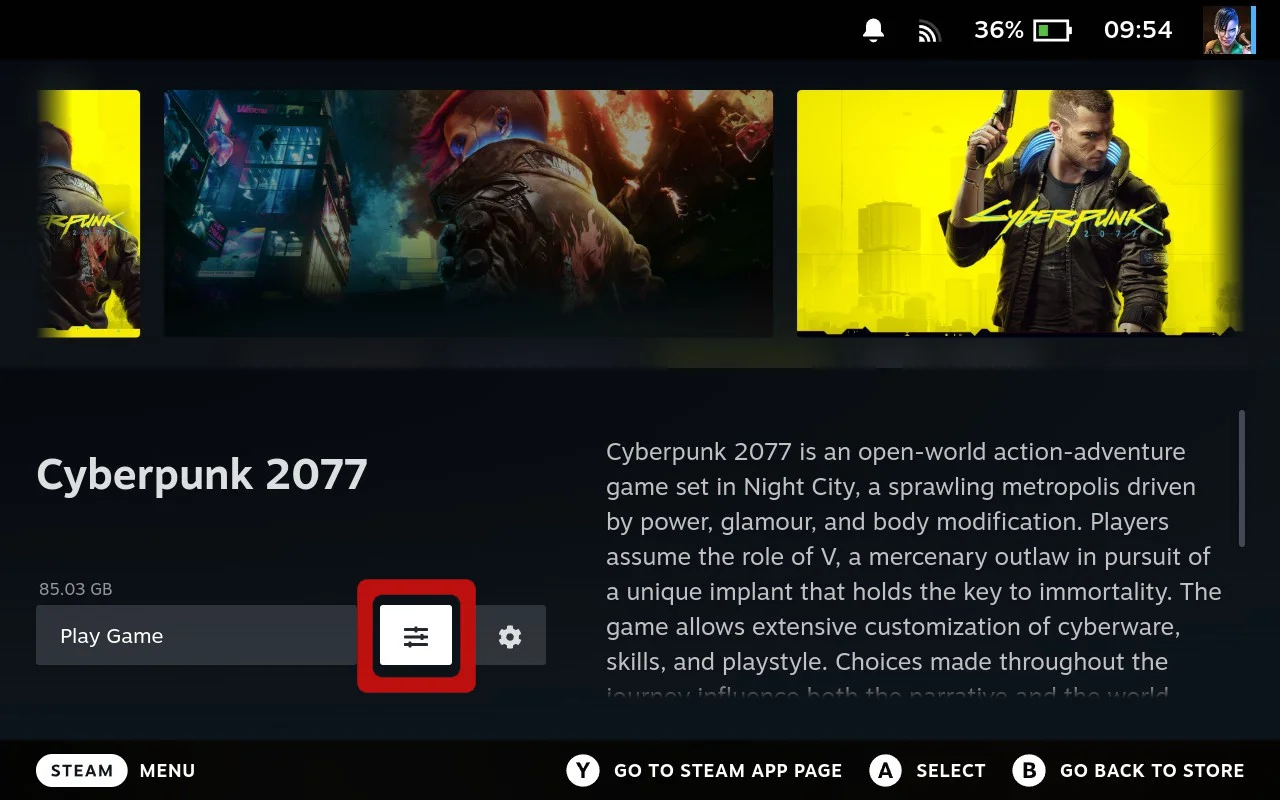
- Pick Update, Repair, or Verify
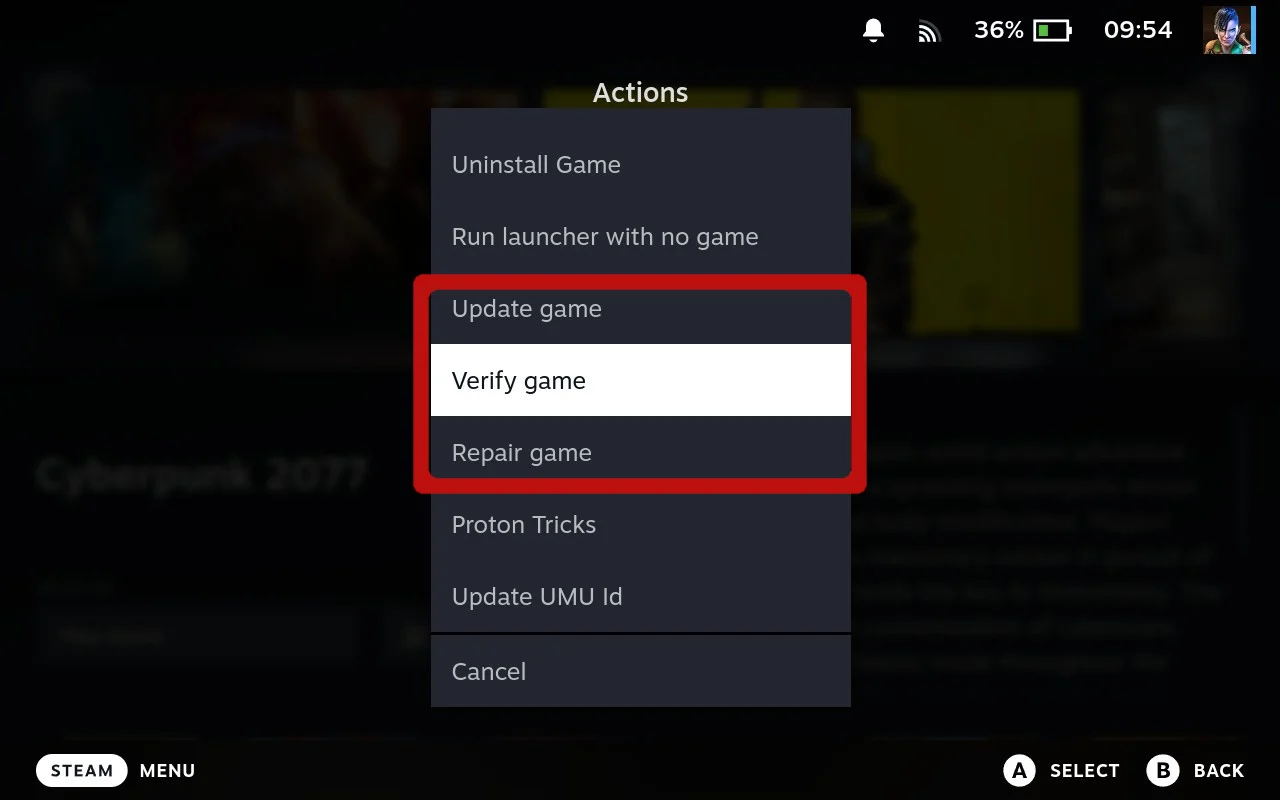
What each function does:
Update
Self explanatory but just in case…this will download updates only or new DLC content to save you downloading the game over and over again.
Verify
Sometimes during download things can go wonky. This will verify downloaded files against the game’s manifest to check if anything is missing or corrupted.
Repair
If any files are missing or corrupted this will download those files causing issues and preventing the game from launching.
Quick Tips
That’s it! Questions? Hit us up on Discord or Reddit.
Cheers,
The Junk Store Team
Ready to manage all your non-Steam games from Game Mode?
🚀 Try Junk Store 2.0 Free for 7 DaysUpdate, repair, and play - all without Desktop Mode
Have questions about this tip? Join our community on Discord or Reddit!