Tip of the Week: Run Alternate Executables in Game Mode
This Week’s Pro Tip: Some games bundle multiple executables like expansion packs, config tools, or alternate launchers. Here’s how to run any of them without switching to Desktop Mode.
The Problem
We sometimes get asked how to launch a specific executable for games that ship with multiple, like expansion packs or config tools. Star Wars: Galactic Battlegrounds Saga on GOG is a good example. It includes both the base game (Battlegrounds.exe) and the Clone Campaigns expansion (CloneCampaigns.exe). By default, Junk Store launches the main exe, but what if you want to play the expansion?
You can easily select a game executable in Game Mode via Junk Store. No need to switch to desktop mode, hunt through folders, or dig through game files to find them.
How to Run an Alternate Executable
- Open the game page for your installed game
- Click on the Sliders Menu
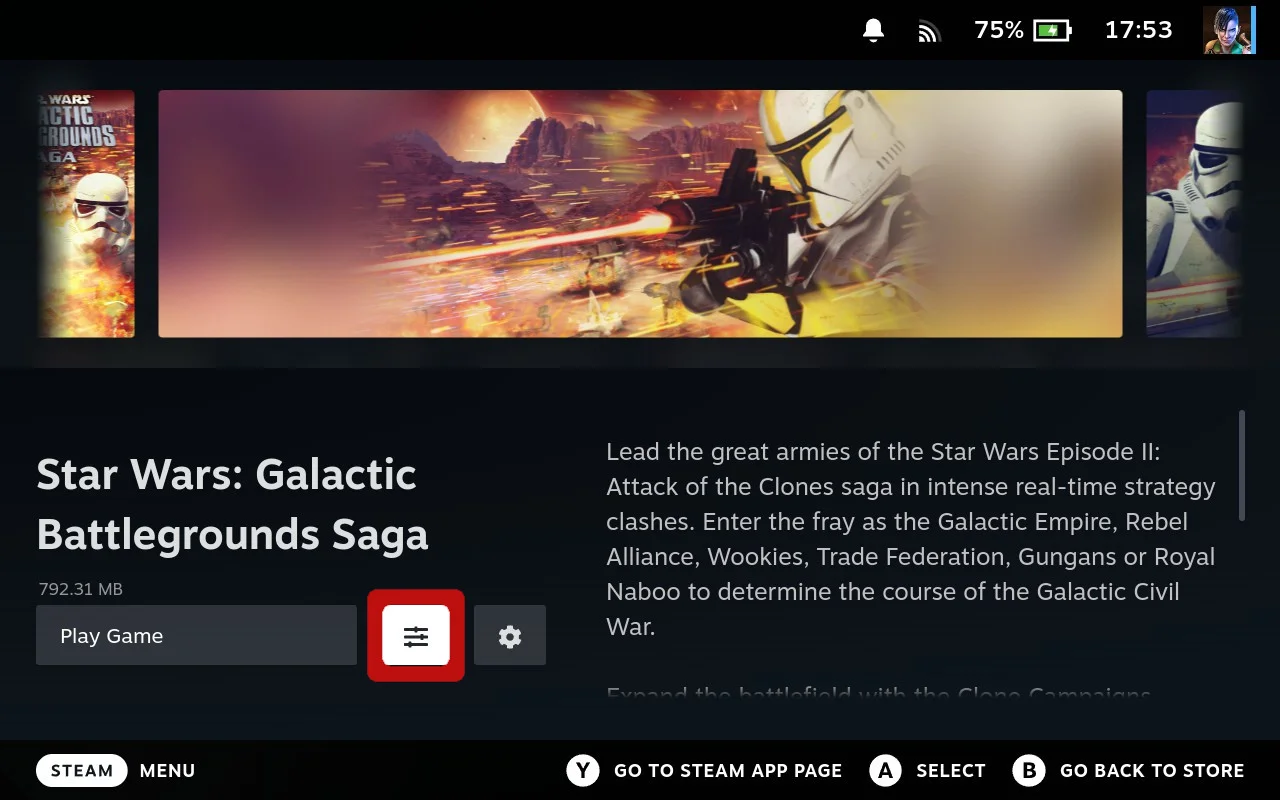
- Select Run exe in Game folder
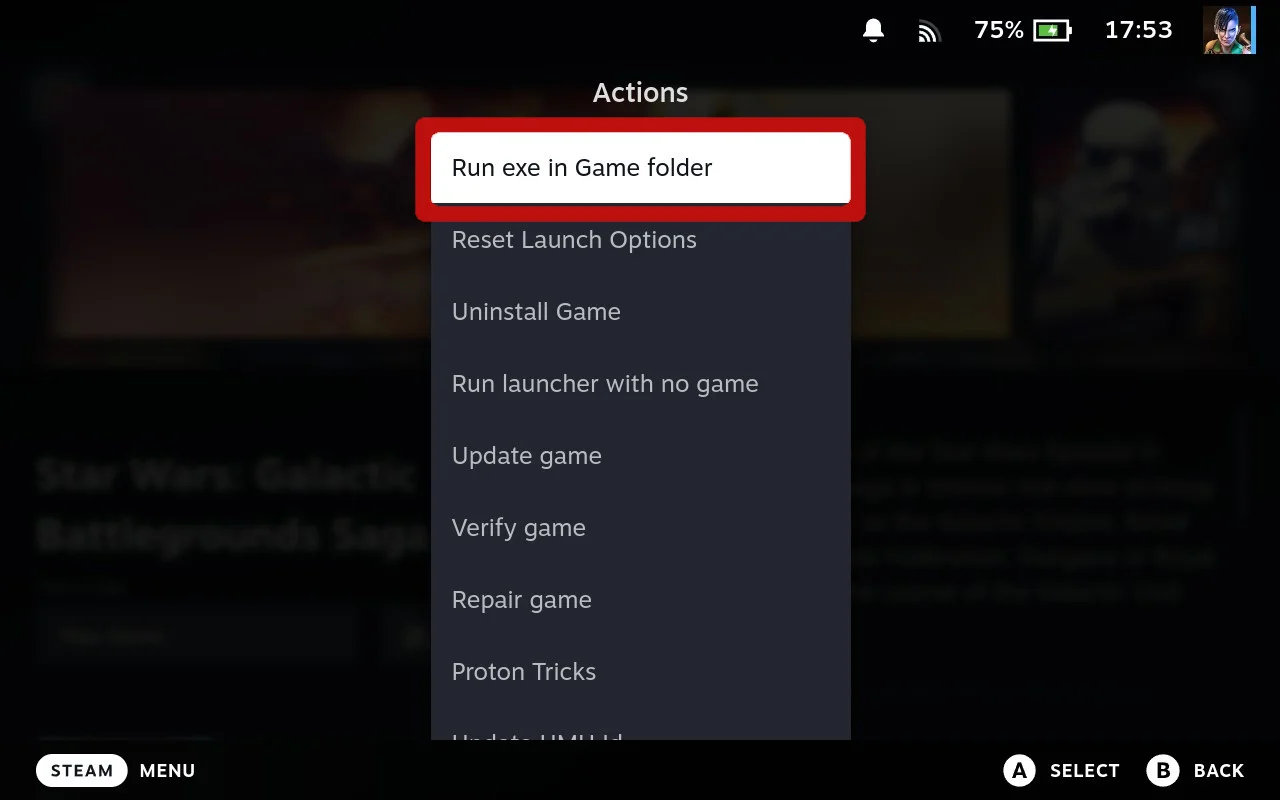
- Choose the executable you want to run from the list.
- Push A if you only want to launch it once via that executable.
- Push X to Save and use that executable for every launch.
That’s it! Here’s what it looks like in action:
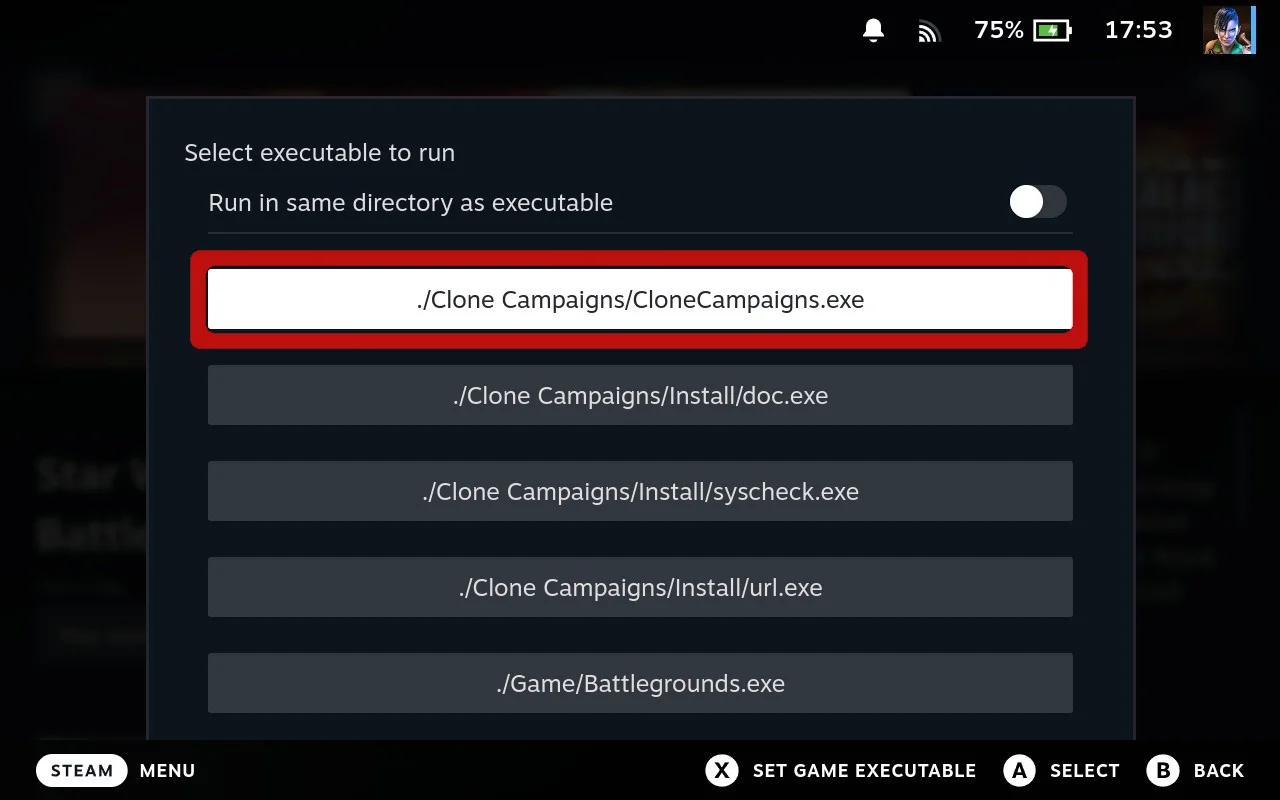
Select CloneCampaigns.exe...
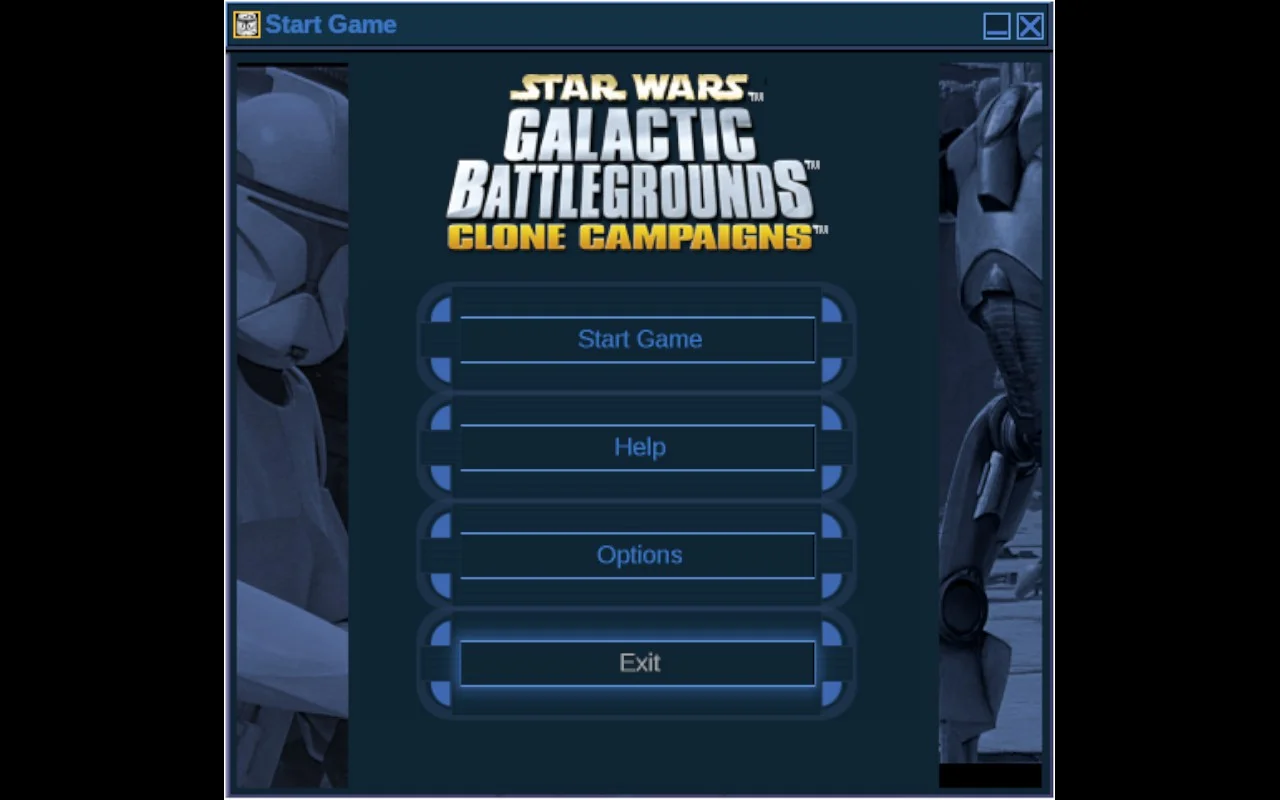
...launches the Clone Campaigns expansion
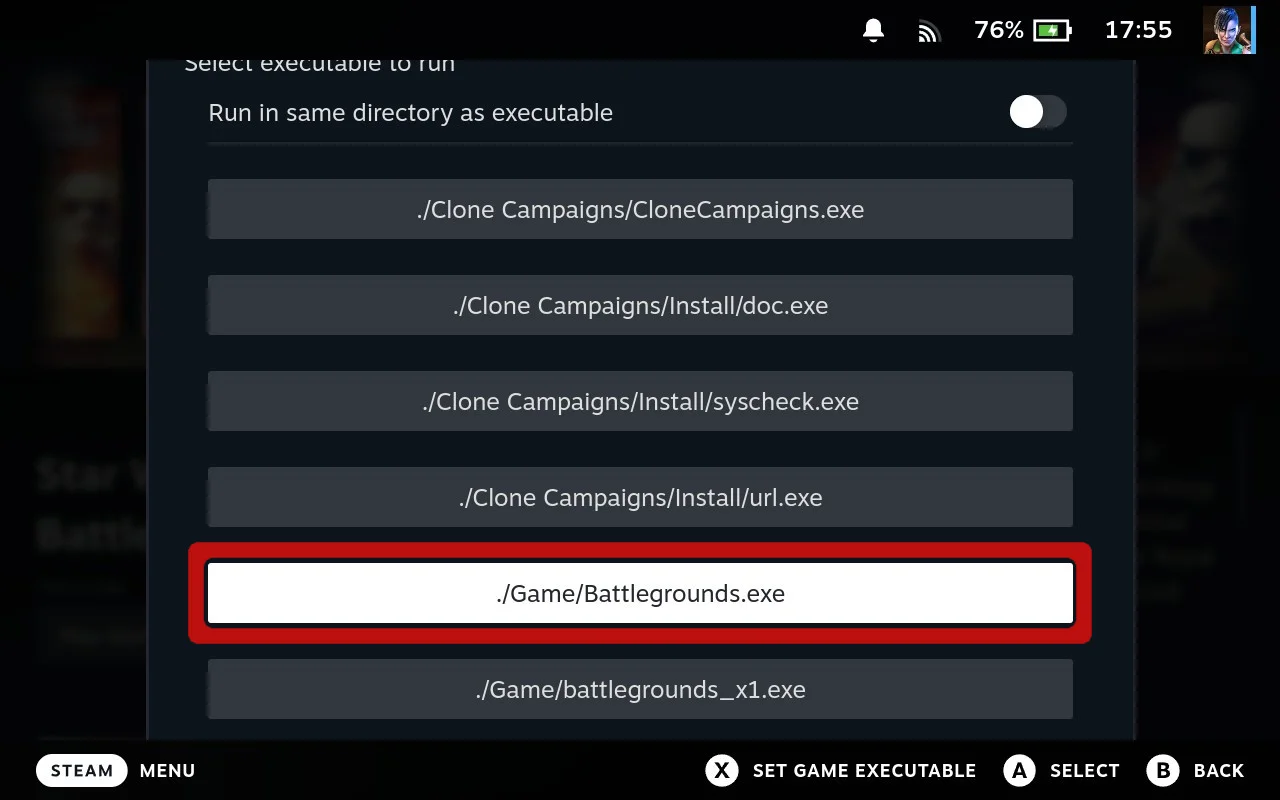
Select Battlegrounds.exe...
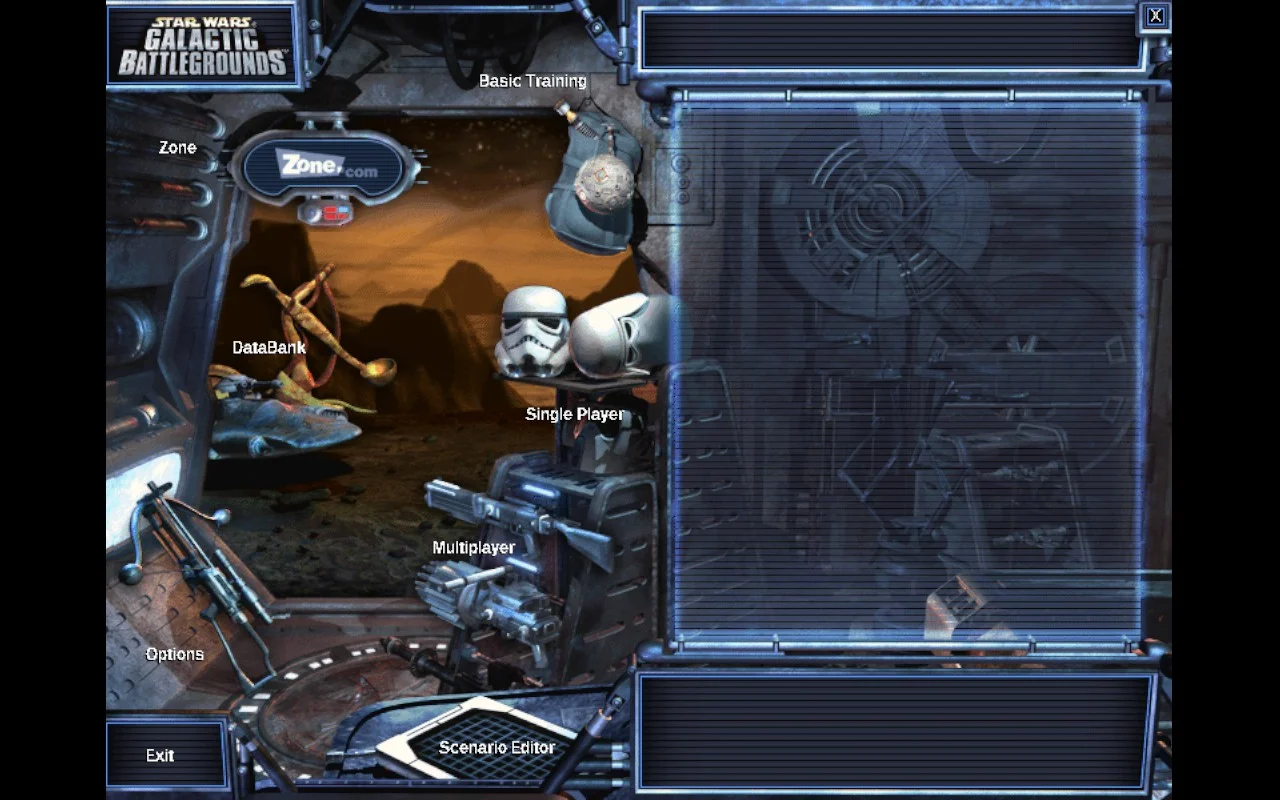
...launches the base game
Other Uses
This isn’t just for expansion packs. Here are some other use cases:
- Installing dependencies like Visual C++ Redistributables (
vcredist_x64.exe,vc_redist.x64.exe) or DirectX (DXSETUP.exe) that some older games require - Bypassing a game launcher to run the game directly (see example below)
- Trying an alternate exe if the default one doesn’t work for your game
Example: Zenless Zone Zero
Games like Zenless Zone Zero use their own launcher (HoYoPlay). If you want to skip the launcher and run the game directly, use Run exe in Game folder and select the actual game executable.
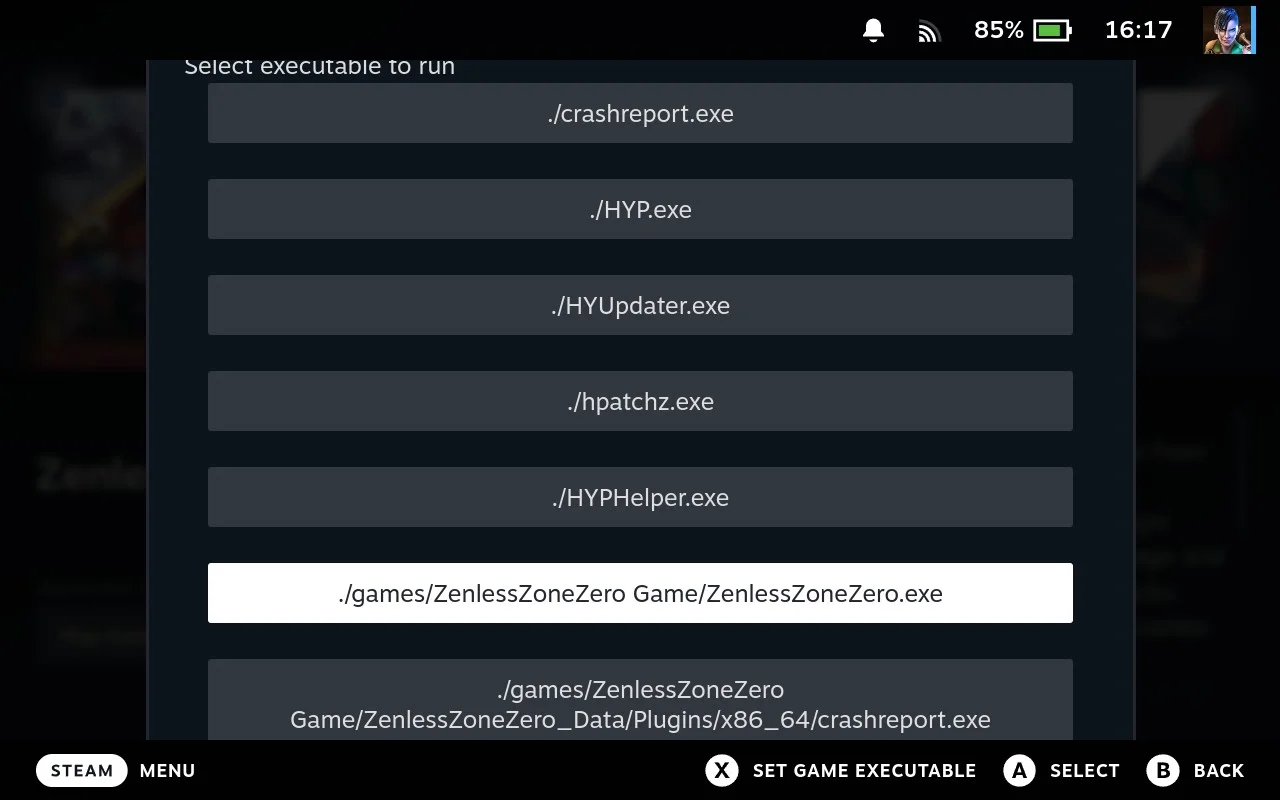
Select the game exe (not the launcher files)
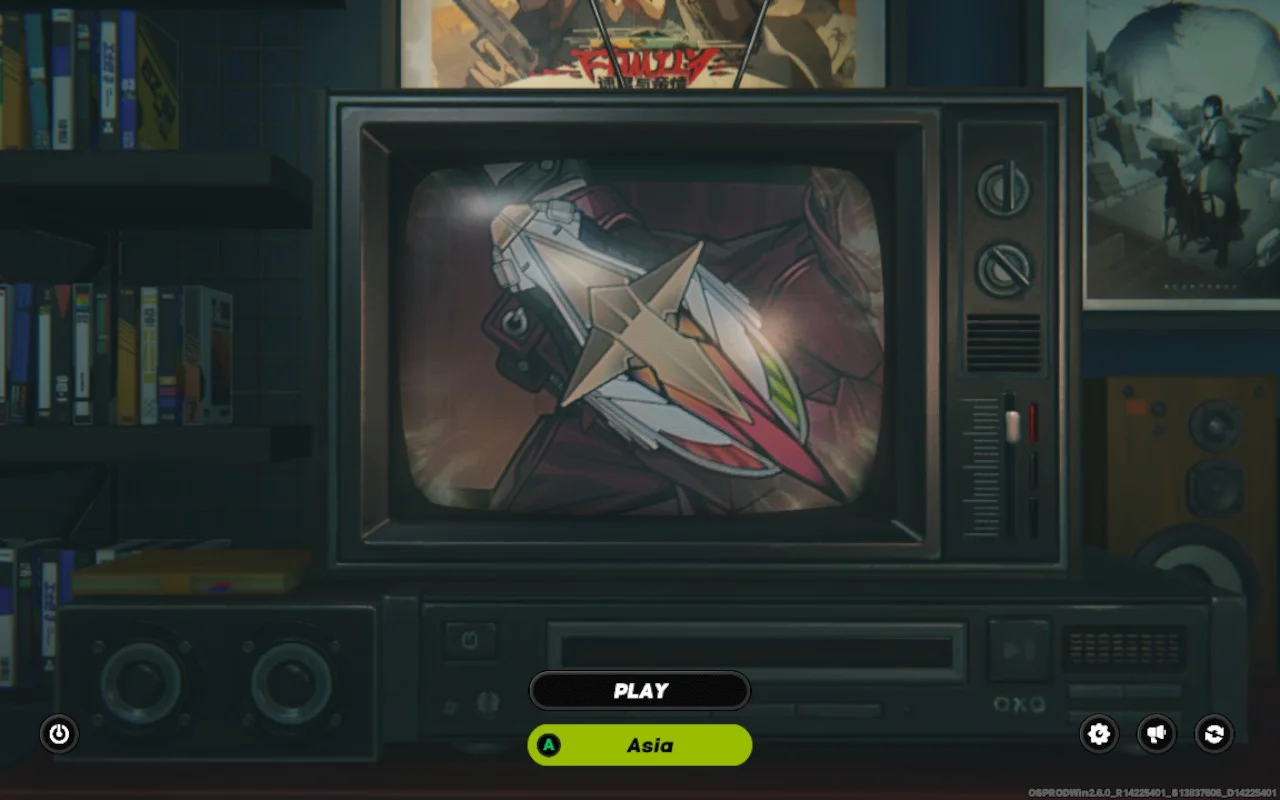
...launches directly into the game
In this case, you’d select ./games/ZenlessZoneZero Game/ZenlessZoneZero.exe instead of HYP.exe (the launcher) to run the game directly.
Happy gaming!
Cheers,
The Junk Store Team
Ready for seamless Steam Deck gaming?
Try Junk Store 2.0 Free for 7 DaysGame Mode native - the way handheld gaming should be
Have questions about this tip? Join our community on Discord or Reddit!