🎮 Did You Know About Our Games Compatibility Table?
Our games compatibility table has been quietly helping Steam Deck users find compatible games for a few months now, and I wanted to highlight it for those who might not know about it yet.
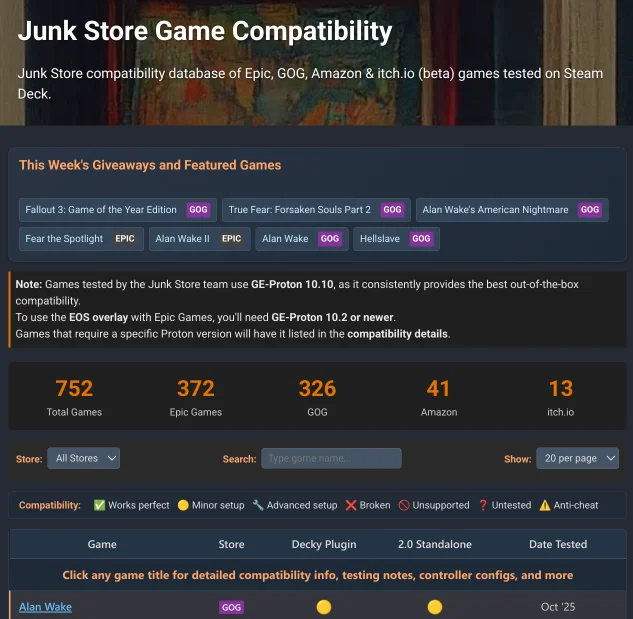 Complete overview of our games compatibility table with all key features visible
Live Statistics Dashboard
First thing you’ll see is our real-time breakdown of tested games across all supported platforms. No guessing - you know exactly what’s been verified.
 Real-time statistics showing our growing database of tested games
The numbers update automatically as we test more games each week, so you’re always seeing the latest compatibility data.
Recently Tested Games & Store Filtering
We highlight recently tested games right at the top, plus you can filter by any storefront to focus on your preferred platform. Here’s the table filtered to show just GOG games:
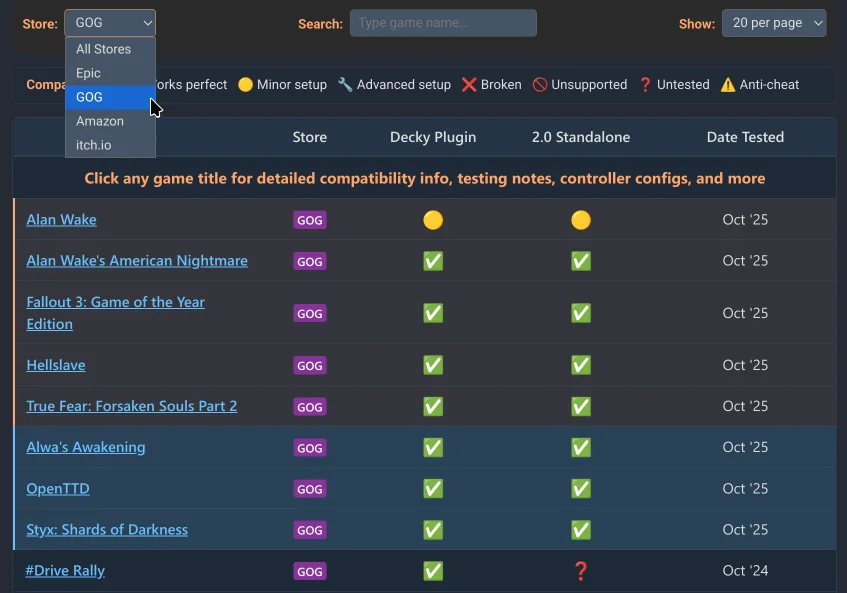 Filtering by GOG games - notice the clean store badges and organization
Comprehensive Game Details
This is where it gets really useful. Click any game and you get a detailed modal with actual testing information from our Steam Deck sessions:
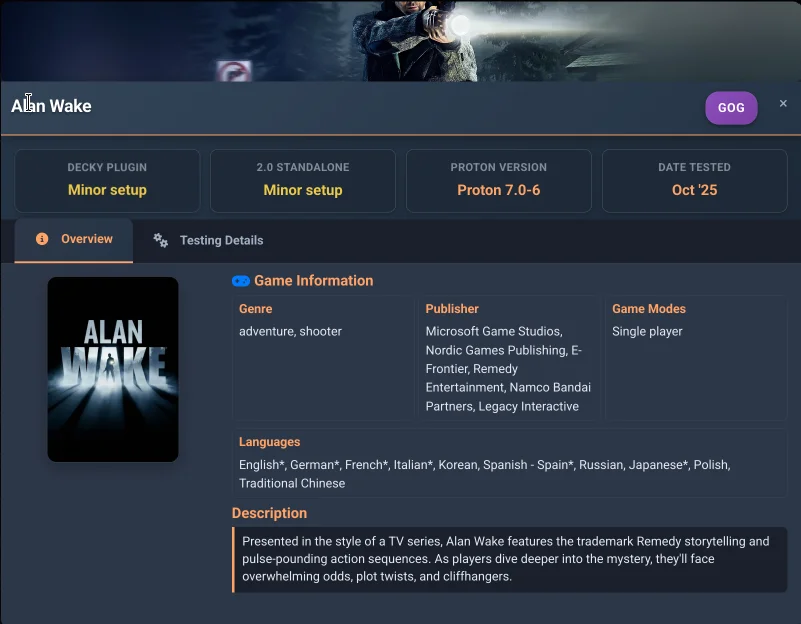 Game modal showing Alan Wake with compatibility rating and detailed metadata
Each modal includes:
- Compatibility ratings with clear explanations
- Release information and store details
- Testing notes from actual Steam Deck sessions
- Special requirements and configuration notes
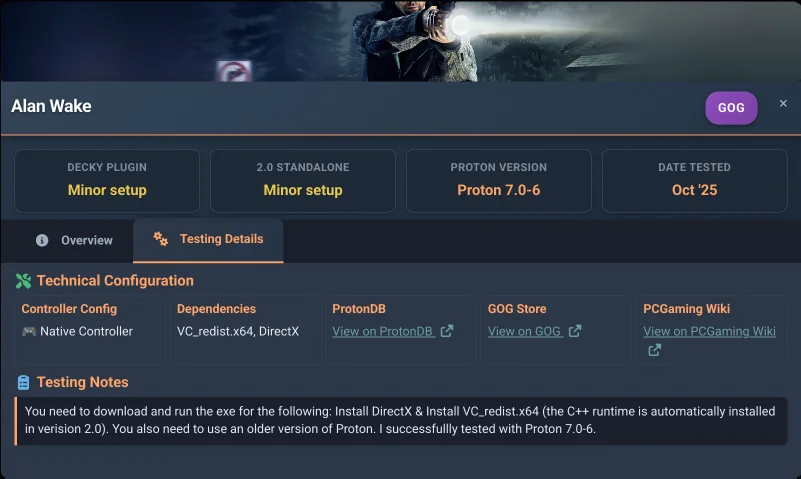 Testing details tab with specific compatibility notes and configuration information
Connected to Our Weekly Updates
If you follow our weekly game testing posts, you’ll notice something new: every game we test now links directly to its full compatibility details in the table.
Instead of just reading about a game in our weekly update, you can click through to see the complete modal with all testing notes, controller configurations, and compatibility ratings. It’s a seamless way to go from “we tested this” to “here’s everything you need to know about running it.”
Always Up to Date
This isn’t just a static list - it’s a living database that gets updated weekly as we test new games and retest existing ones to verify compatibility hasn’t changed. Each entry includes real testing notes from actual Steam Deck sessions.
Check it out at: junkstore.xyz/tested-games
Share Your Feedback
The goal is to make this a useful Steam Deck compatibility resource, so honest feedback is appreciated:
- Is there anything missing that would help you choose games?
- Any specific game metadata you’d want to see?
- How’s the overall usability when browsing?
Since we don’t have comments on blog posts, join the conversation on Discord or Reddit:
Ready to try these tested games on your Steam Deck?
🎮 Start Free Trial - Junk Store 2.0Get instant access to Epic, GOG, Amazon & itch.io games in Game Mode