Tip of the Week: Play Epic Games Offline
This Week’s Pro Tip: Want to play your Epic games without an internet connection? Junk Store makes it easy to enable offline mode.
The Problem
Epic games, once downloaded, tend to ‘phone home’ to the Epic servers when launched. The problem arises when you try to launch games while not connected to the internet. They can’t reach Epic’s servers, so they refuse to launch. You can easily fix this in Junk Store by toggling offline mode for games that support this feature.
The setup differs slightly between versions, so here’s how to do it on both.
Decky Plugin: Global Setting
On the free Decky plugin, offline mode is a global setting that applies to all your Epic games.
- Open Junk Store and go to the Epic tab
- Press the cog icon (settings)
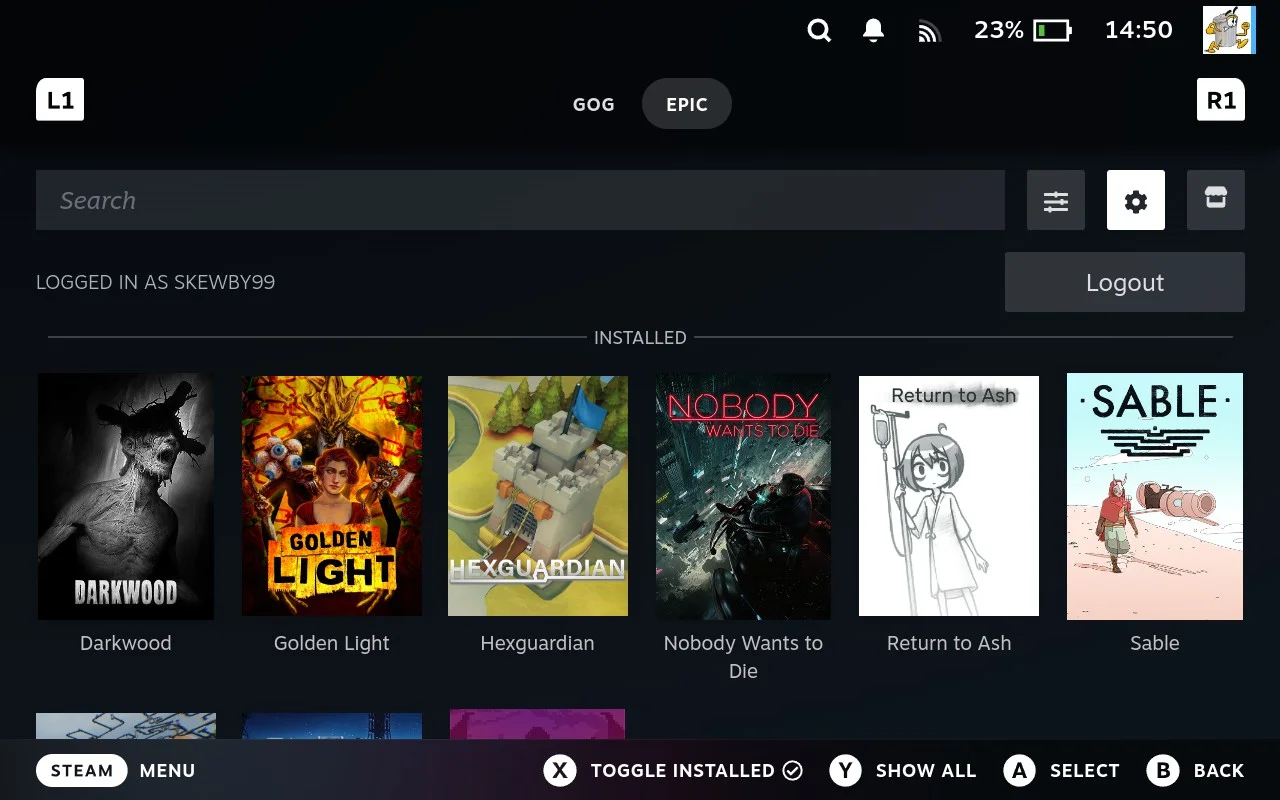
- Toggle Offline Mode on and remember to Push X to Save
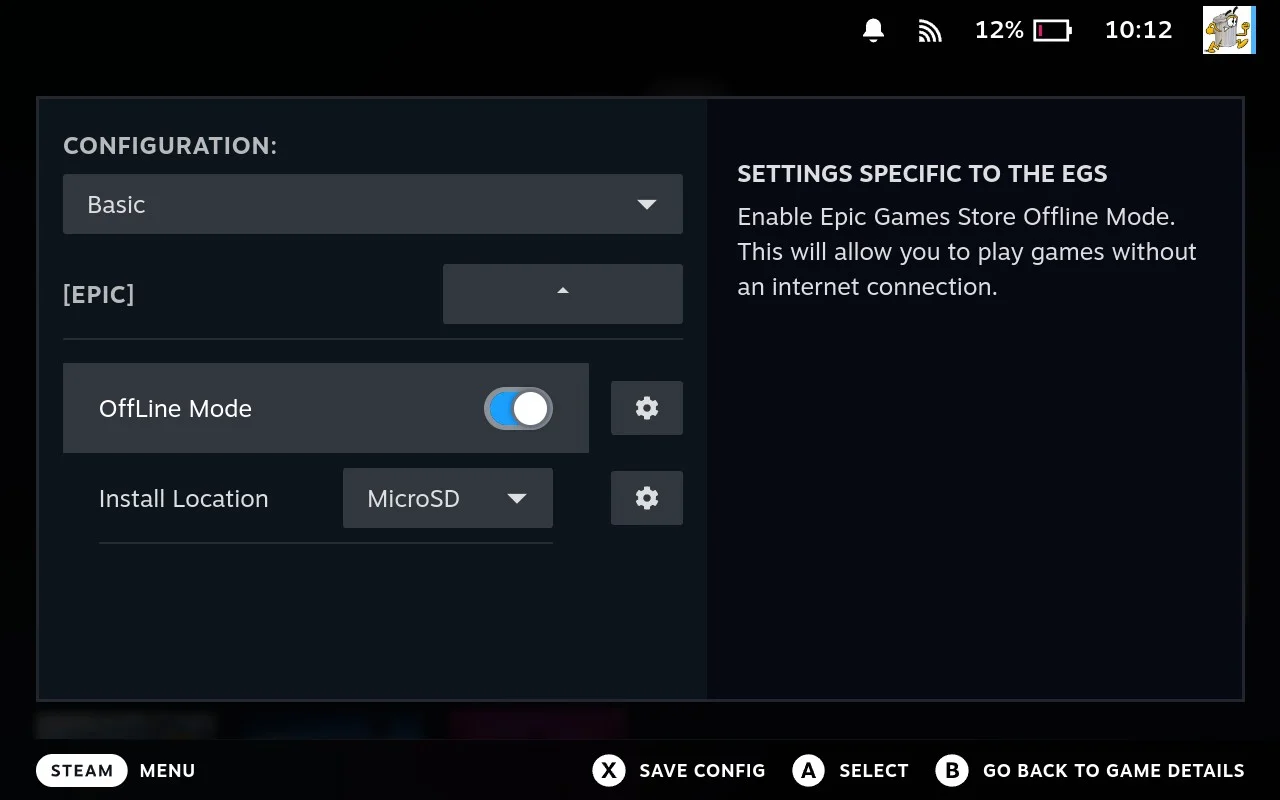
That’s it. Your Epic games that support it will now launch in offline mode.
Junk Store 2.0: Per-Game Setting
Junk Store 2.0 also has the global setting like the Decky plugin, but if you want more control you can set offline mode on a per-game basis.
- Open the game page for your Epic game
- Press the cog icon (settings)
- Select Game Configs
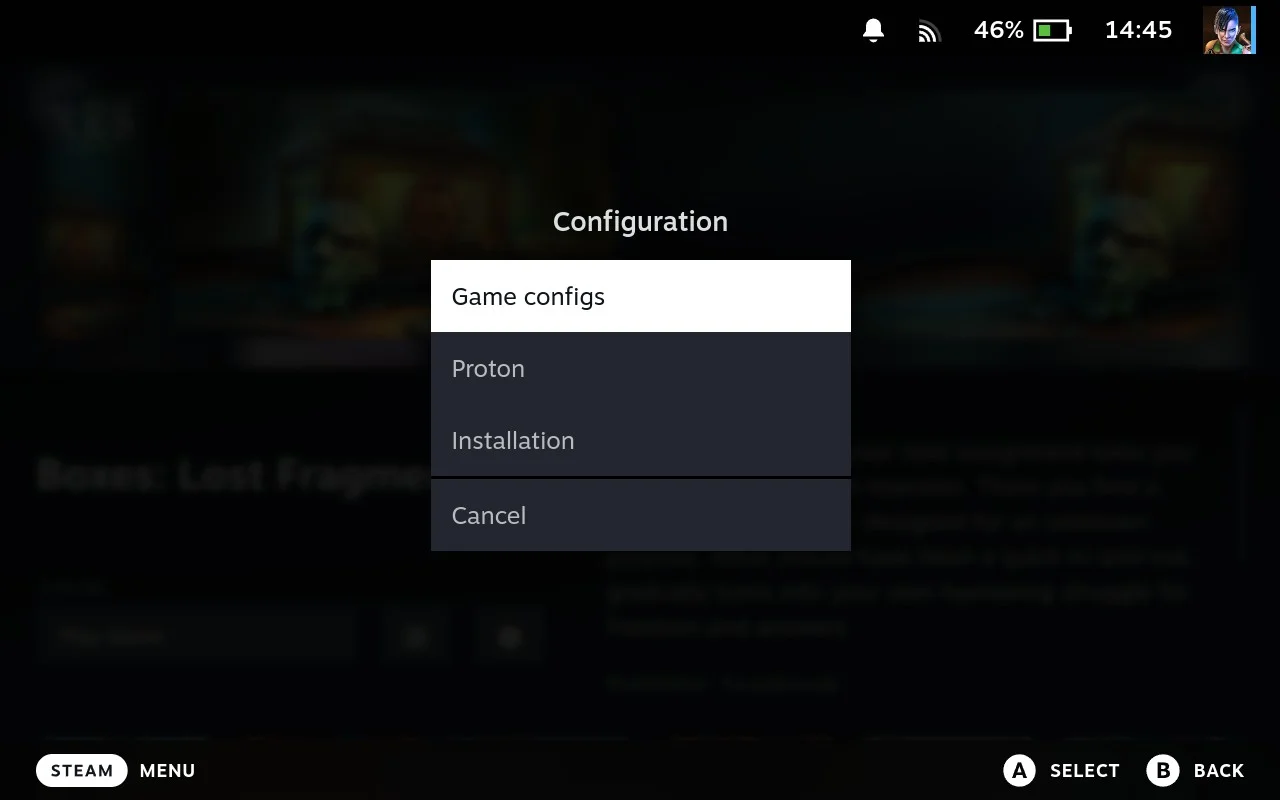
- Toggle Offline Mode on and remember to Push X to Save
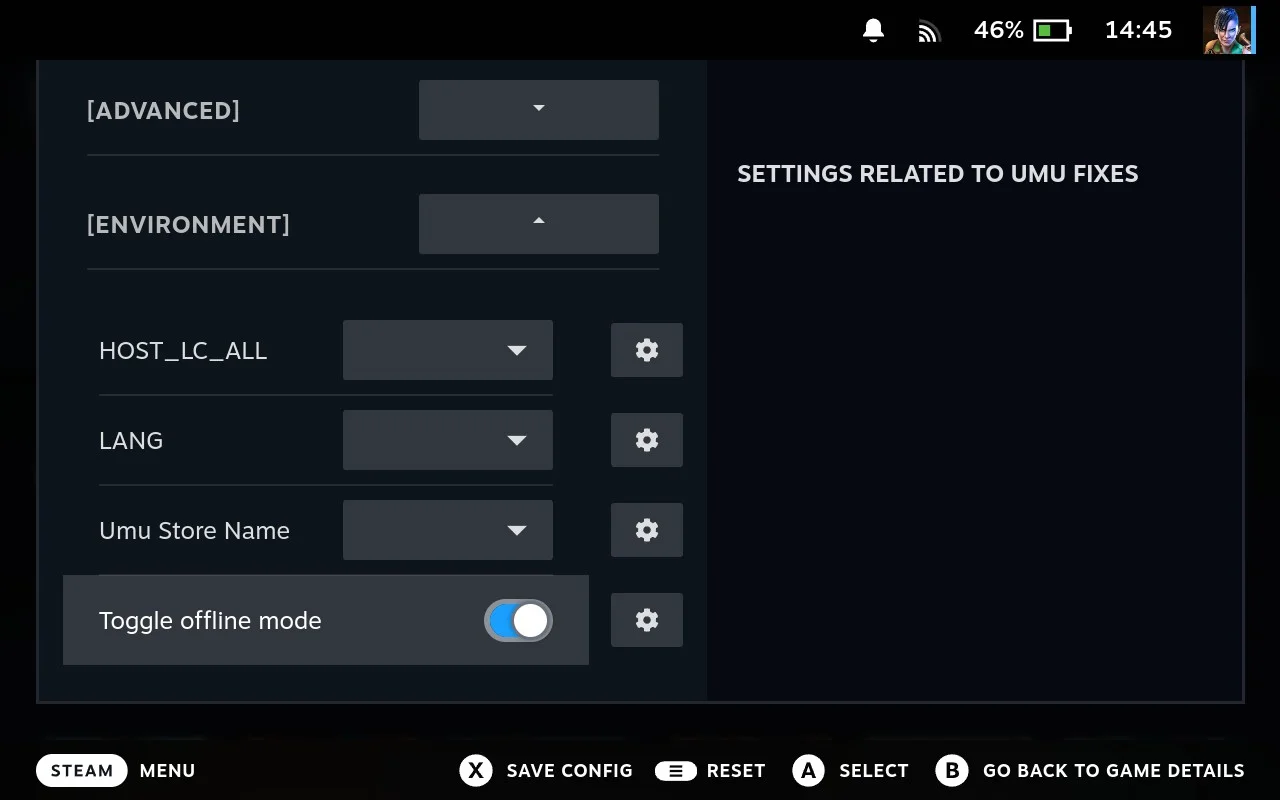
The setting saves automatically for that game. Repeat for any other games you want to play offline.
Before You Go Offline
A few things to keep in mind:
- Launch the game once while online before going offline. This ensures any required tokens are cached.
- Some games require online authentication and won’t work offline regardless of this setting.
- DRM-free games (like those from GOG) don’t need this, they work offline by default.
Hope this helps for your next offline adventure!
Cheers,
The Junk Store Team
Want per-game offline control?
🚀 Try Junk Store 2.0 Free for 7 DaysMore control, same Game Mode experience
Have questions about this tip? Join our community on Discord or Reddit!