Diagnostics Framework - Early R&D Release
It’s unusual for us to release early R&D work, but we have a diagnostics tool based on extensive research that we think would be useful to users. This framework is still in the early phases of development, but we have already found it useful. It’s available on the beta build channel for Junk Store 2.0.
What Does It Do?
The diagnostics framework will attempt to detect issues and suggest remedies on your Steam Deck. It deliberately does not interface with Valve’s APIs and controls, which means it can enable Junk Store updates even if things are broken. Think of this as an emergency escape hatch.
This means that if a SteamOS update affects Junk Store 2.0 functionality, this diagnostic tool will automatically pop up.
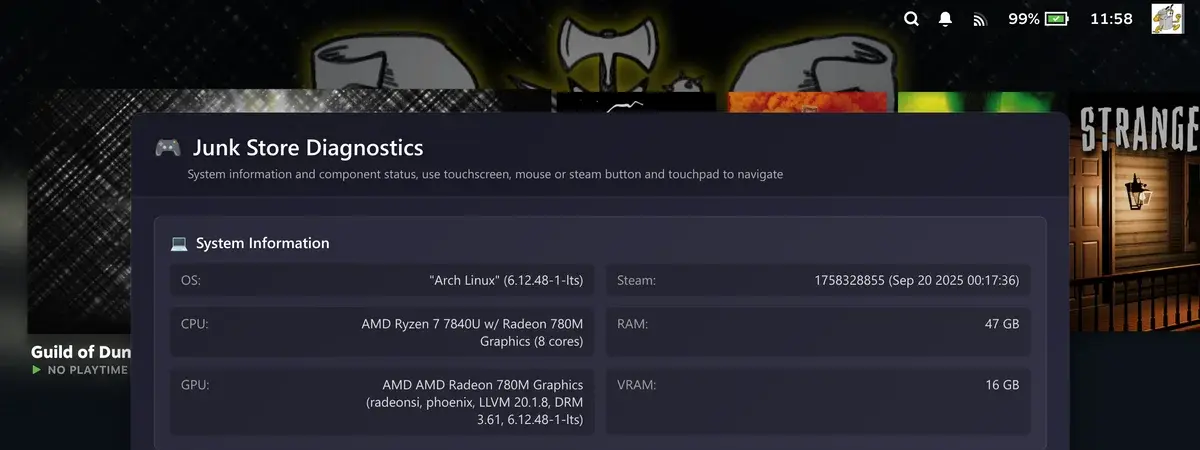
Over time, we’d like to extend this to include more checks and more fixes. It’s limited, but already useful.
How to Enable It
You can enable it by activating developer mode from the About → System menu (scroll down to find the toggle at the bottom). Then, in the developer menu, you can toggle it on. This will give you a magnifying glass button that floats above the Steam UI.
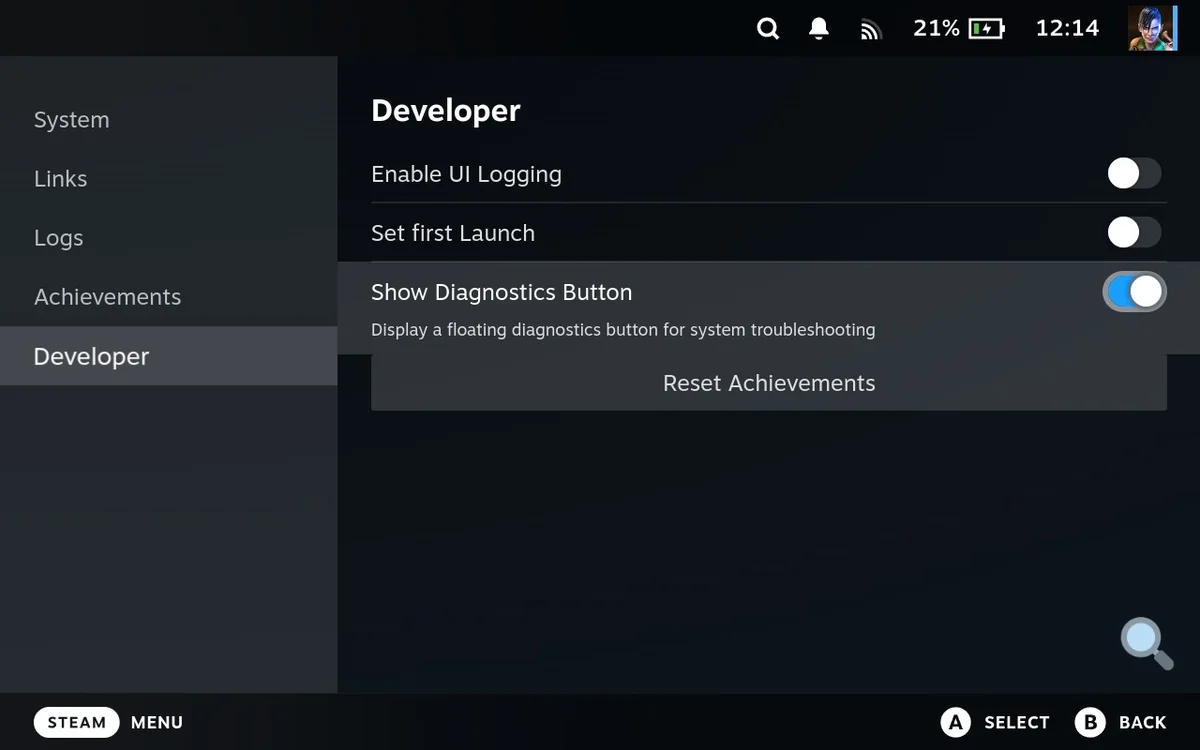
This is not controller-enabled, so you will have to use the touch screen or hold down the Steam button and use the trackpad to click on it.
How It Works
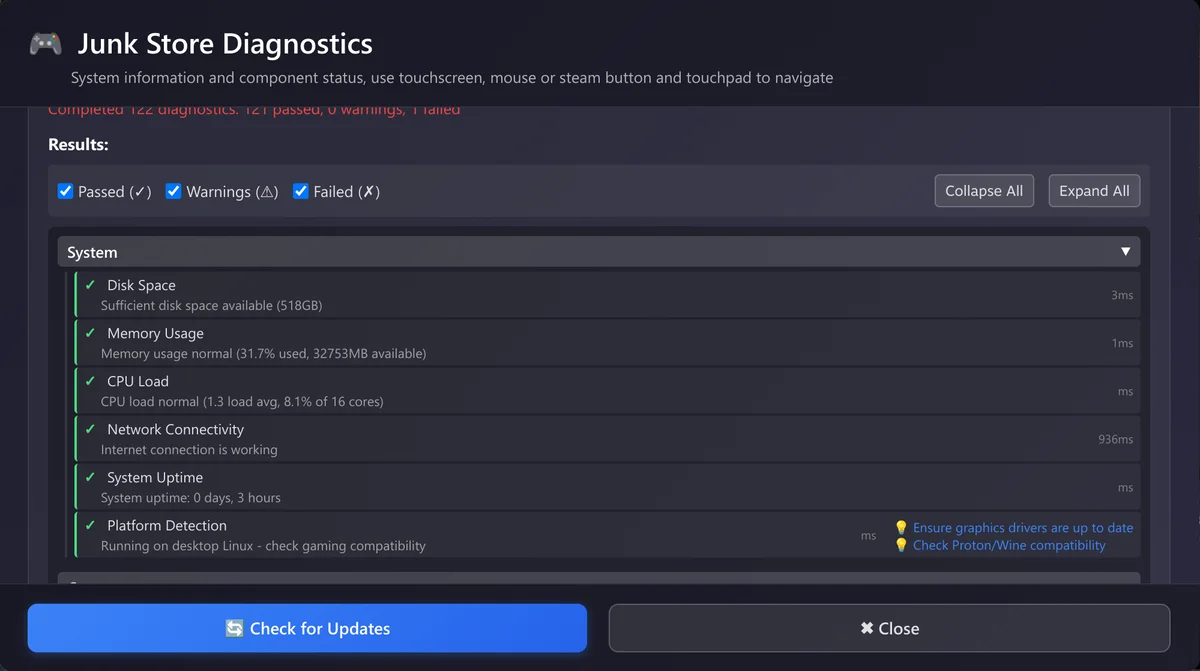
When you select “Run Diagnostics”, it will check for any issues on your Steam Deck that could be causing Junk Store problems. Each check will show as passed or failed, and you’ll get warnings for things like outdated Flatpaks or missing dependencies.
The diagnostics tool currently does the following:
- Disk space
- Critical Junk Store files present
- Basic scripts functionality
- Steam version
- Junk Store version
- Disk space (as some can be set to SD cards etc)
- Is the Flatpak installed
- Is the Flatpak working
- Is there a Flatpak update
- Is there a user logged in
- Are the critical files present
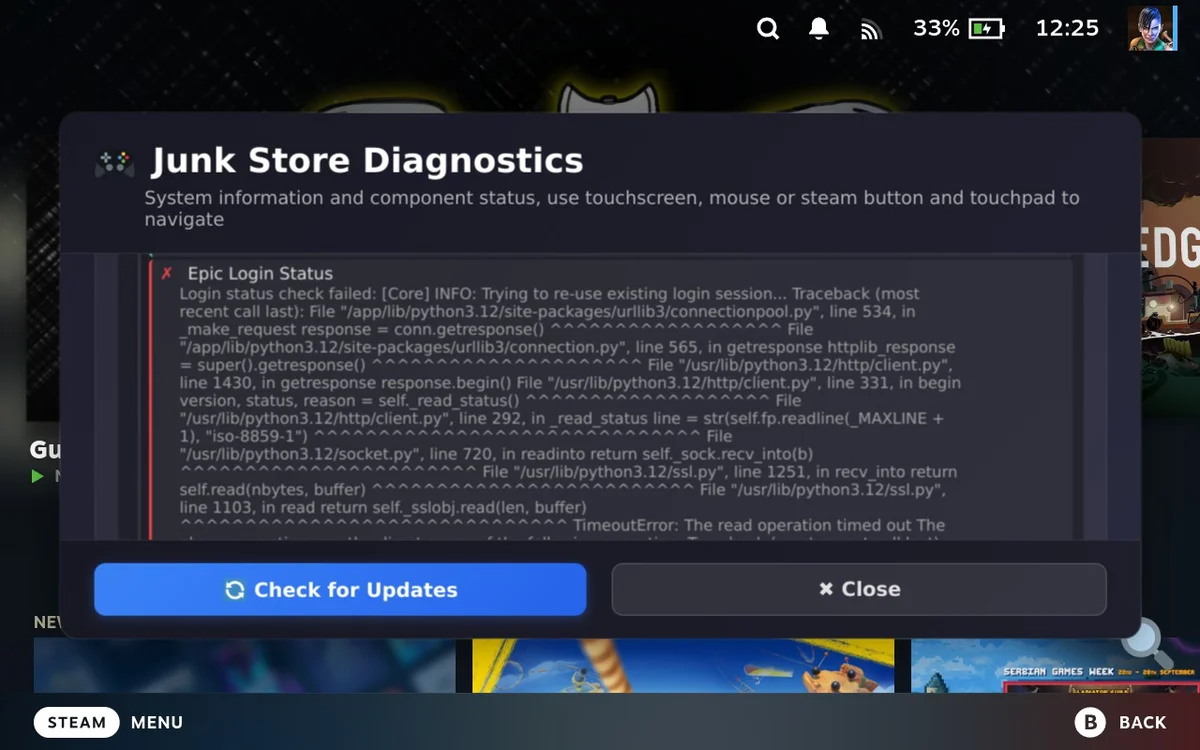
Here’s an example showing a connection issue with Epic Games:
Need Help?
If you get stuck or encounter any issues with the diagnostic tool, don’t hesitate to reach out for help. Join our community for support and discussion.
Ready to experience premium Steam Deck gaming?
🛠️ Try Junk Store 2.0 Free for 7 DaysGive your Steam Deck the launcher it was meant to have