Tip of the Week: Custom Launch Arguments
This Week’s Pro Tip: Need to add custom launch arguments to your Epic, GOG, Amazon or itch.io games? Use Junk Store’s Additional Variables or Additional Arguments fields in the Advanced settings!
Note: This tip applies to both versions, but the steps differ slightly between Decky Plugin and 2.0 Standalone.
The Problem
You need to add advanced launch parameters to fix compatibility issues, enable specific features, or optimize performance for your non-Steam games.
The Solution
Easily add or edit launch arguments and variables directly in Junk Store. The content of these fields gets injected into the launch script just before the game launches, ensuring your custom settings persist between updates and launch option resets - no more redoing your tweaks after every game update!
For Junk Store 2.0
-
From the game page in Junk Store, click the ⚙️ Settings menu
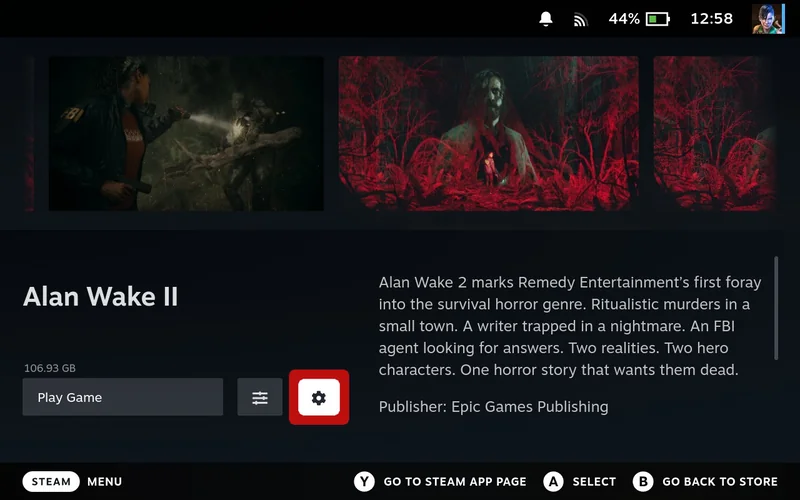
Click the ⚙️ Settings menu on the game page
-
Select PROTON
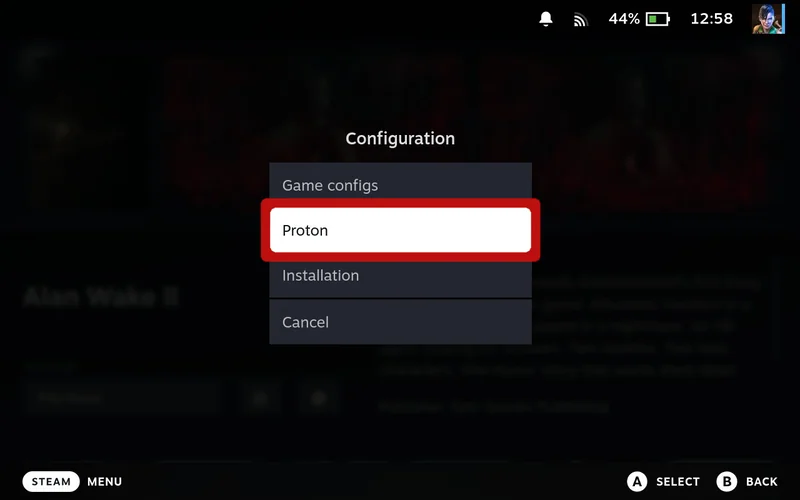
Navigate to PROTON settings
-
Set dropdown to Expert or higher
-
Click ADVANCED
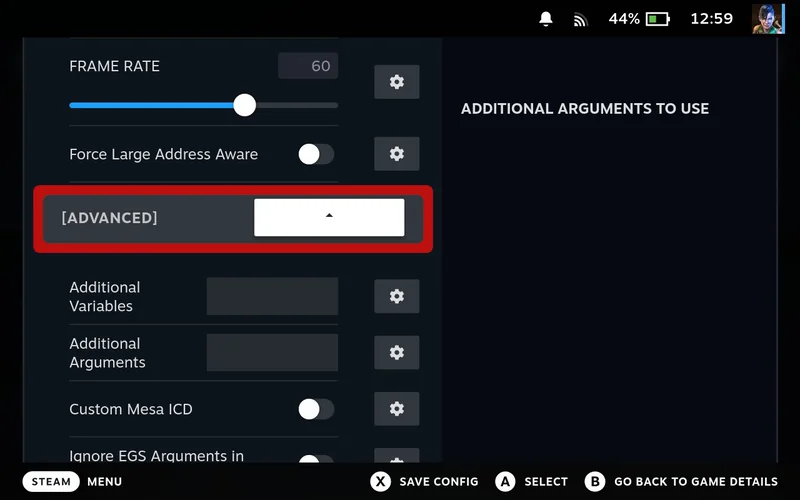
Open the ADVANCED section
-
Navigate to Additional Variables or Additional Arguments field, then press Y to open the built-in text editor
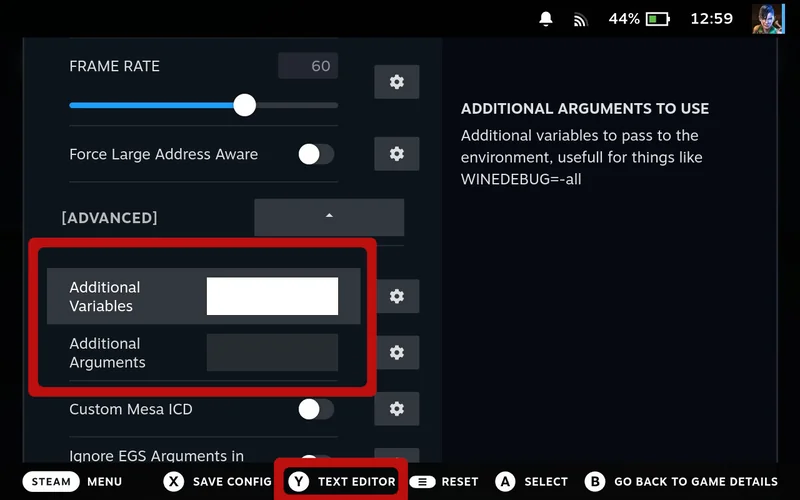
Find the Additional Variables or Additional Arguments field
-
Press A to open keyboard and type your arguments
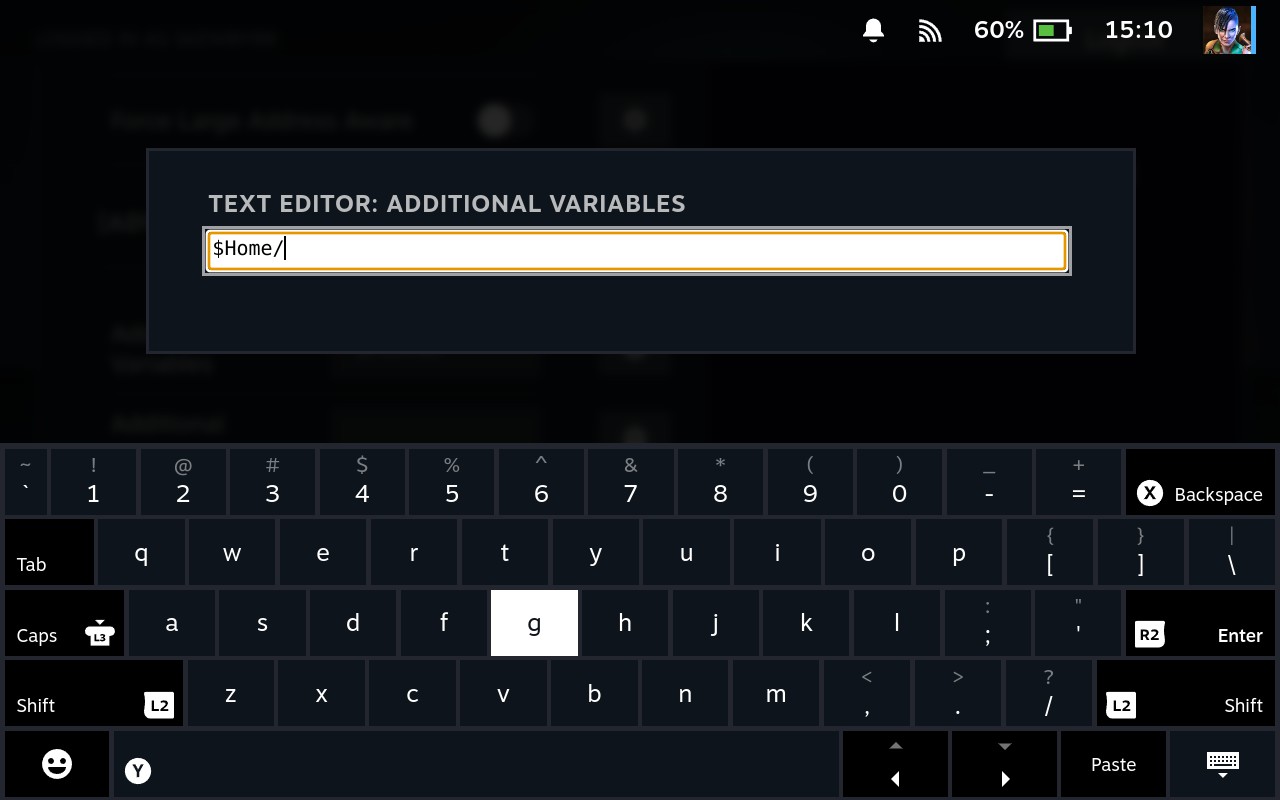
Type your custom launch arguments in the text editor
-
Press X to save changes
All custom arguments are applied automatically when launching games - no manual Steam shortcut editing required.
For Decky Plugin
-
From the game page in Junk Store, click the ⚙️ Settings menu
Click the ⚙️ Settings menu on the game page
-
Select PROTON
Navigate to PROTON settings
-
Set dropdown to All
-
Click ADVANCED
Open the ADVANCED section
-
Navigate to Additional Variables or Additional Arguments field
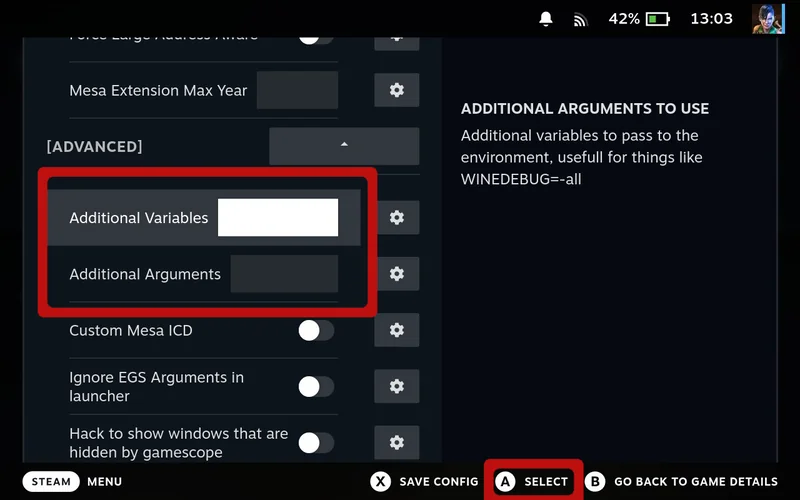
Locate the Additional Variables or Additional Arguments field
-
Press A to open keyboard and type your arguments
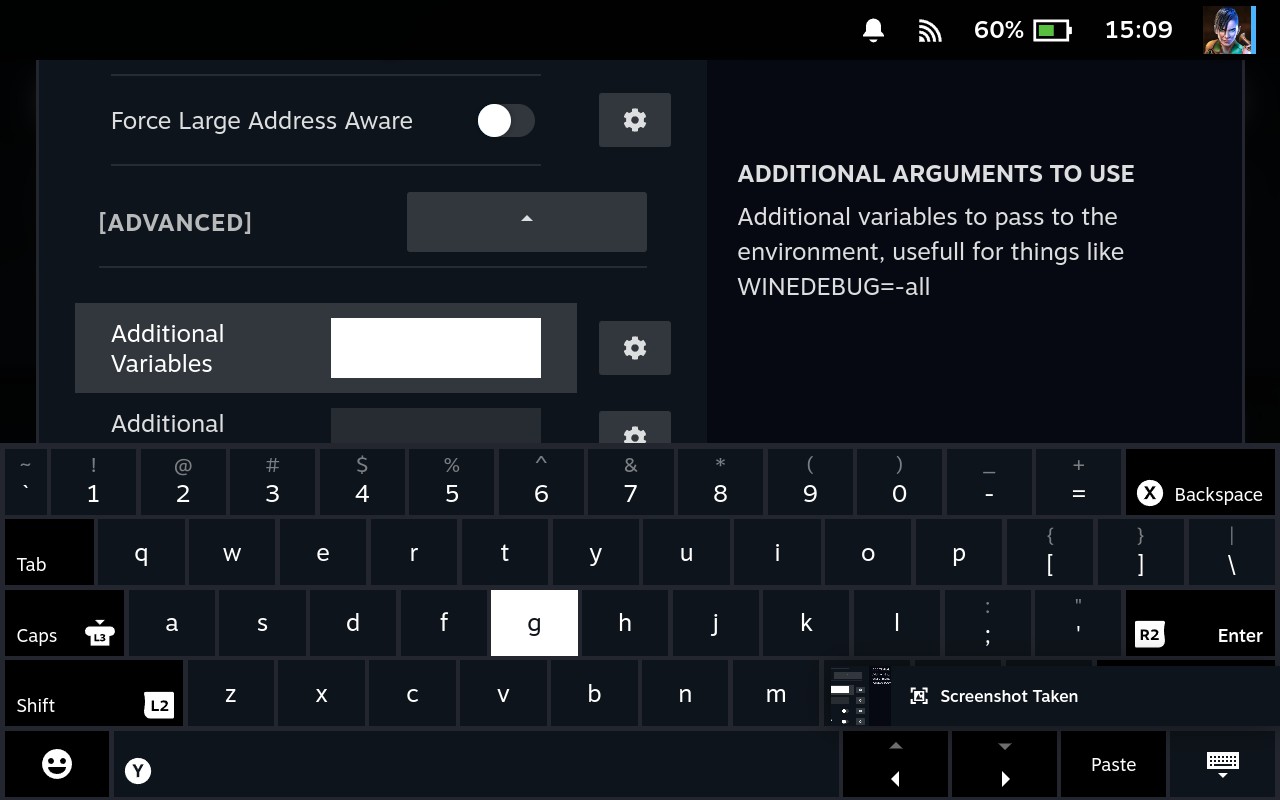
Type your custom launch arguments
-
Press X to save changes
All custom arguments are applied automatically when launching games - no manual Steam shortcut editing required.
Pro Tips
Next Week Preview
Coming next week: Installing Game Dependencies Without Protontricks - Learn how Junk Store 2.0 makes it easy to add Visual C++, .NET Framework, and other Windows components when games won’t launch!
Hope this tip helps! Questions? Our team is always ready to help.
Cheers,
The Junk Store Team
Ready for seamless Steam Deck gaming?
🚀 Try Junk Store 2.0 Free for 7 DaysWhy make gaming harder than it needs to be?
Have questions about this tip? Join our community on Discord or Reddit!