Tip of the Week: Change Game Language with Environment Variables
This Week’s Pro Tip: Use the Additional Variables field in the Decky Plugin to set language environment variables for Epic games that support multiple languages!
Note: This tip is for Decky Plugin users. Junk Store 2.0 has a built-in language menu for easier switching.
The Problem
You’re using the Decky Plugin and want to play your games in a different language. The Decky Plugin doesn’t have a built-in language menu, so you need to use environment variables to tell games which language to use.
The Solution
Use environment variables in Junk Store’s Additional Variables field to set the game language.
Important: This only works for games in your Epic library that already have your desired language built-in. Check the game’s store page on the Epic website to verify language support first.
Step-by-Step Guide
-
From the game page in Junk Store, click the ⚙️ Settings menu
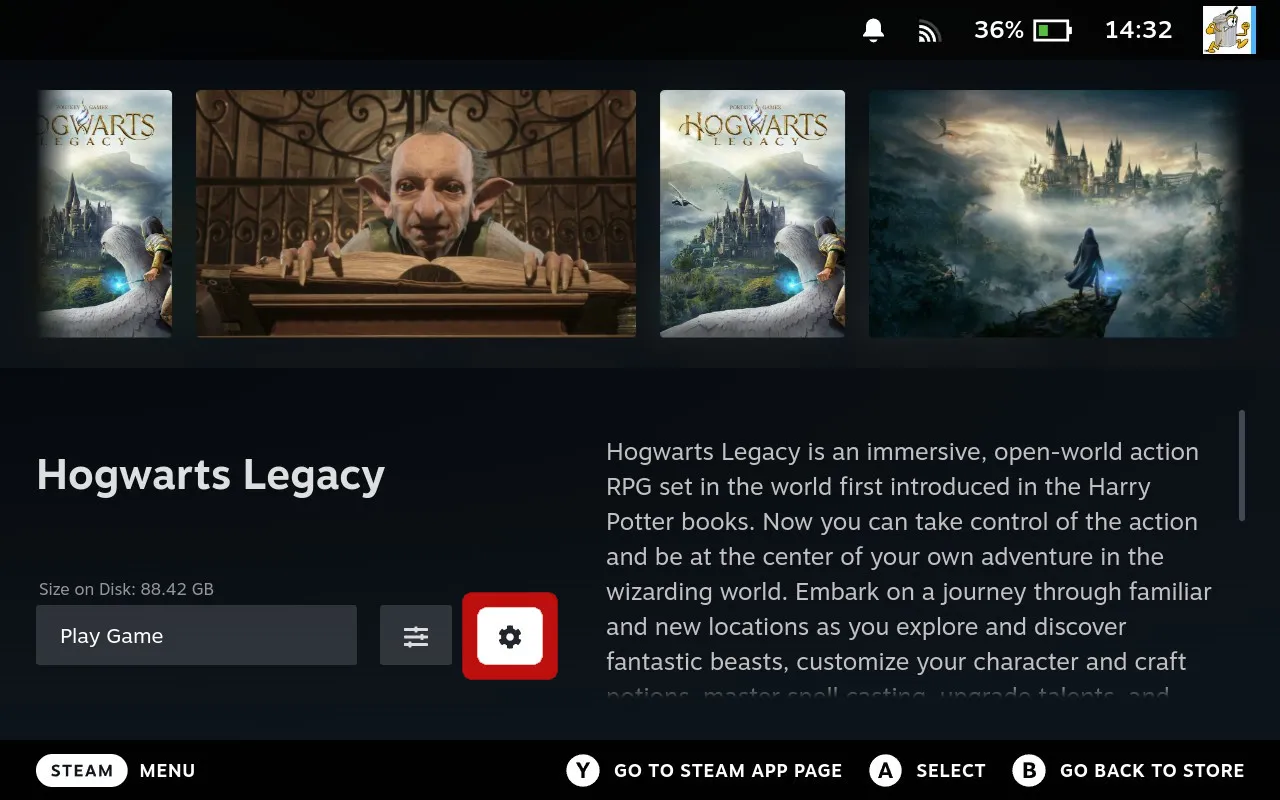
Click the ⚙️ Settings menu on the game page
-
Select PROTON
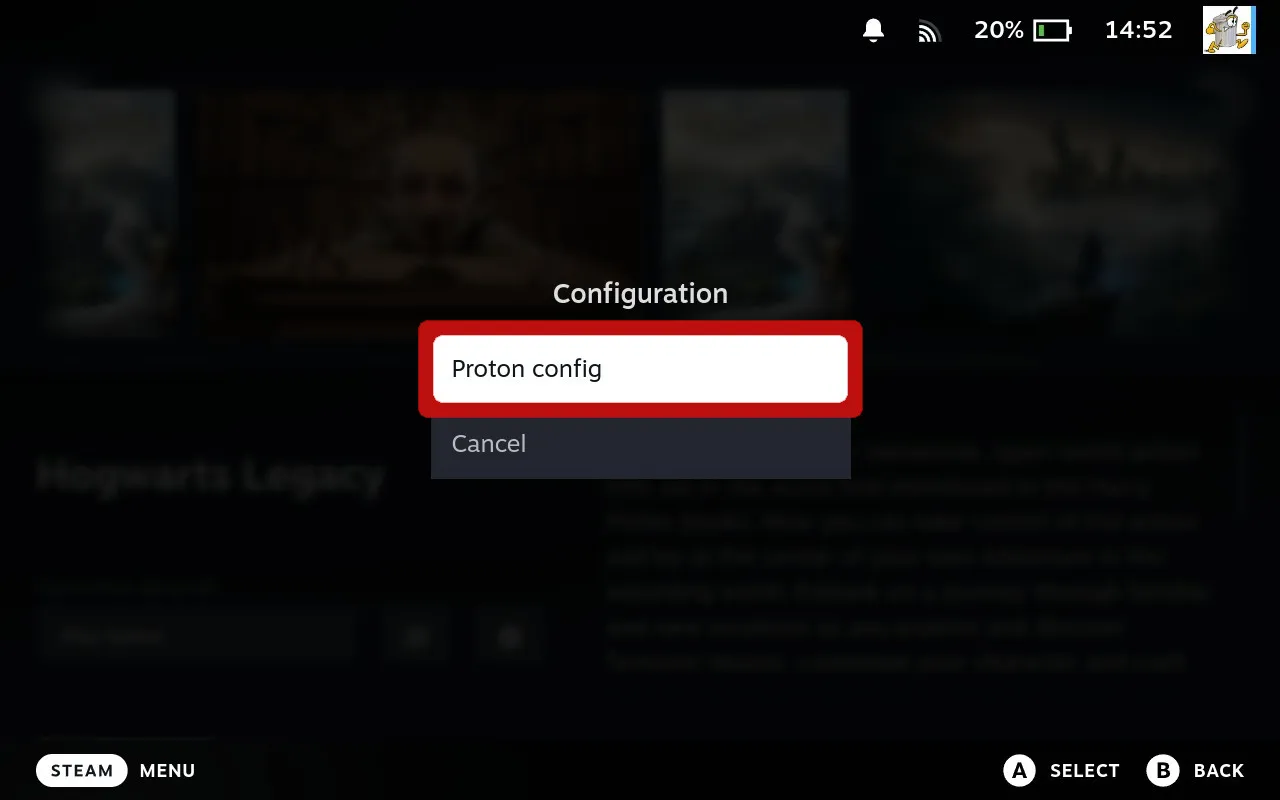
Navigate to PROTON settings
-
Set dropdown to All
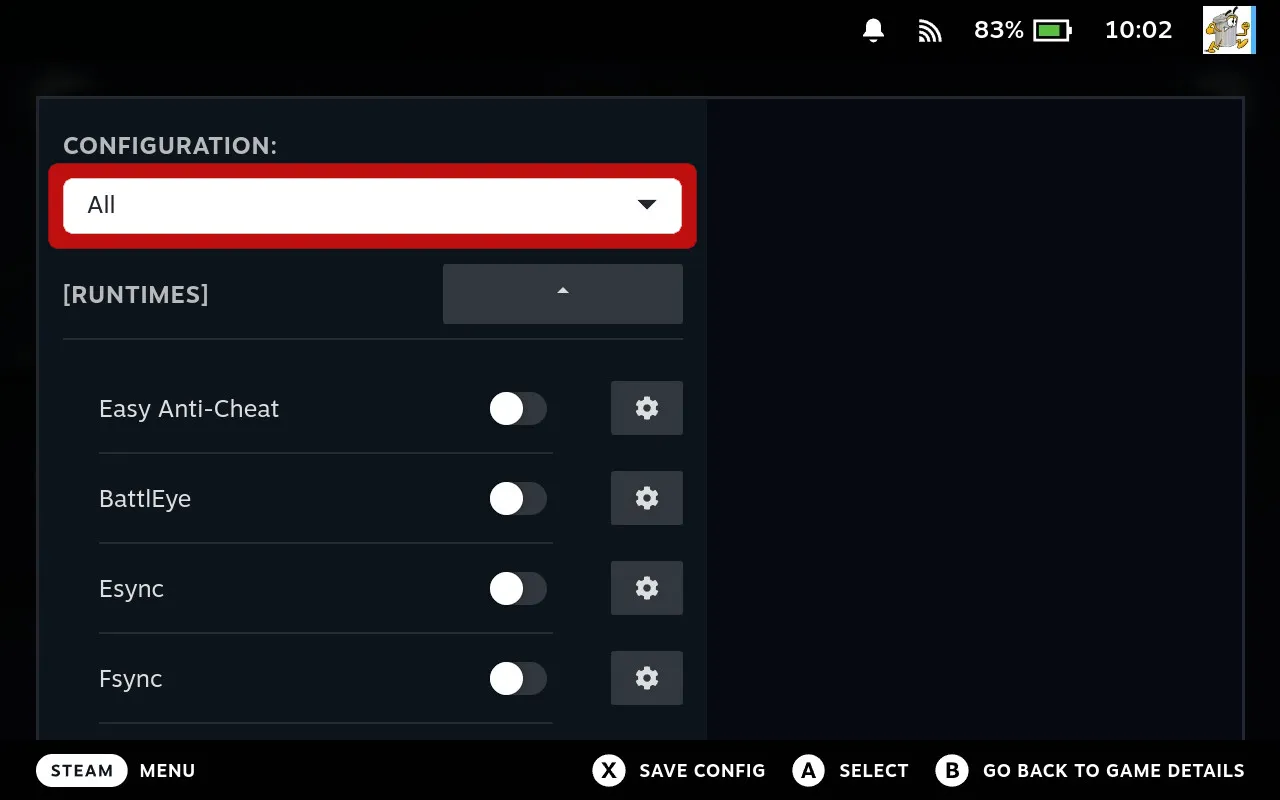
Change the dropdown to All to reveal Advanced options
-
Click ADVANCED, navigate to the Additional Variables field, and enter your language variables:
export HOST_LC_ALL=es_ES.UTF-8
export LANG=es_ES.UTF-8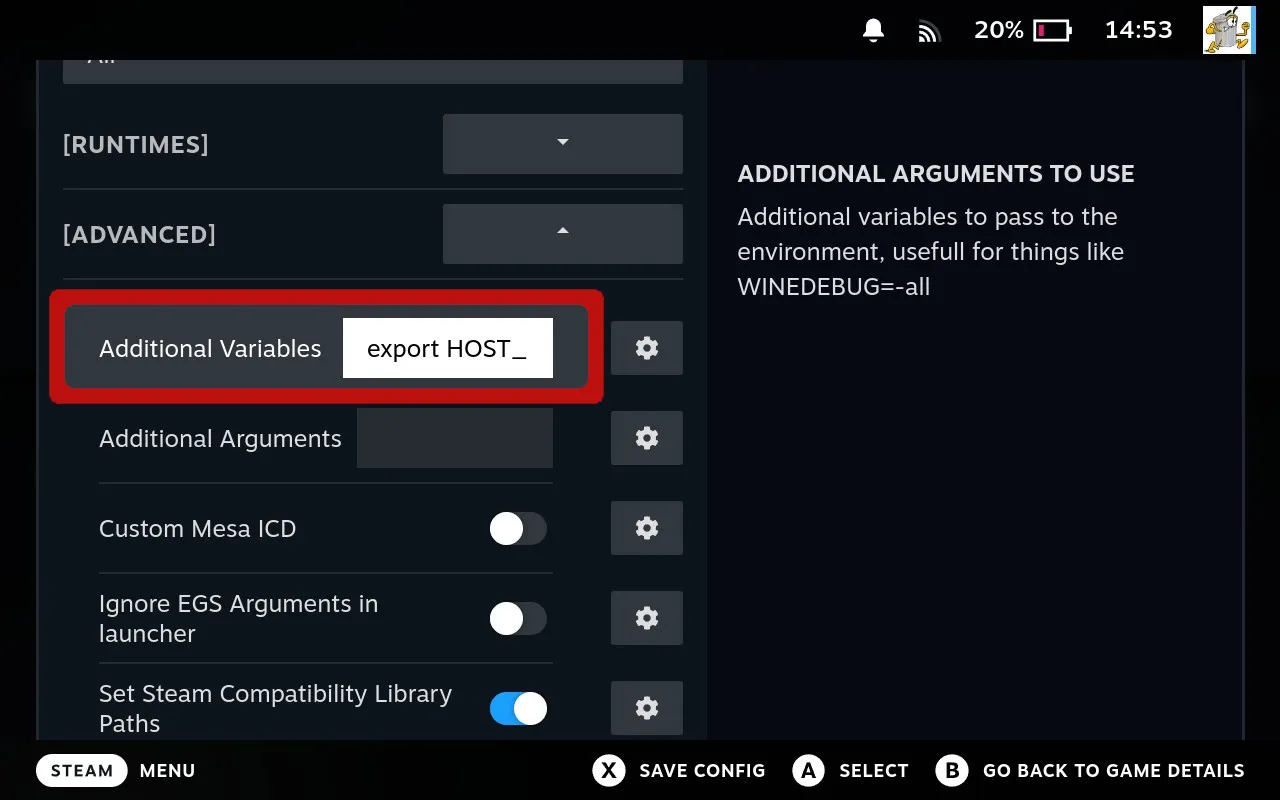
Enter both language environment variables in the Additional Variables field
-
Press X to save changes
The game will now launch in your specified language automatically.
Example: Hogwarts Legacy in Spanish
Here’s what it looks like when you set Spanish (es_ES) for Hogwarts Legacy:
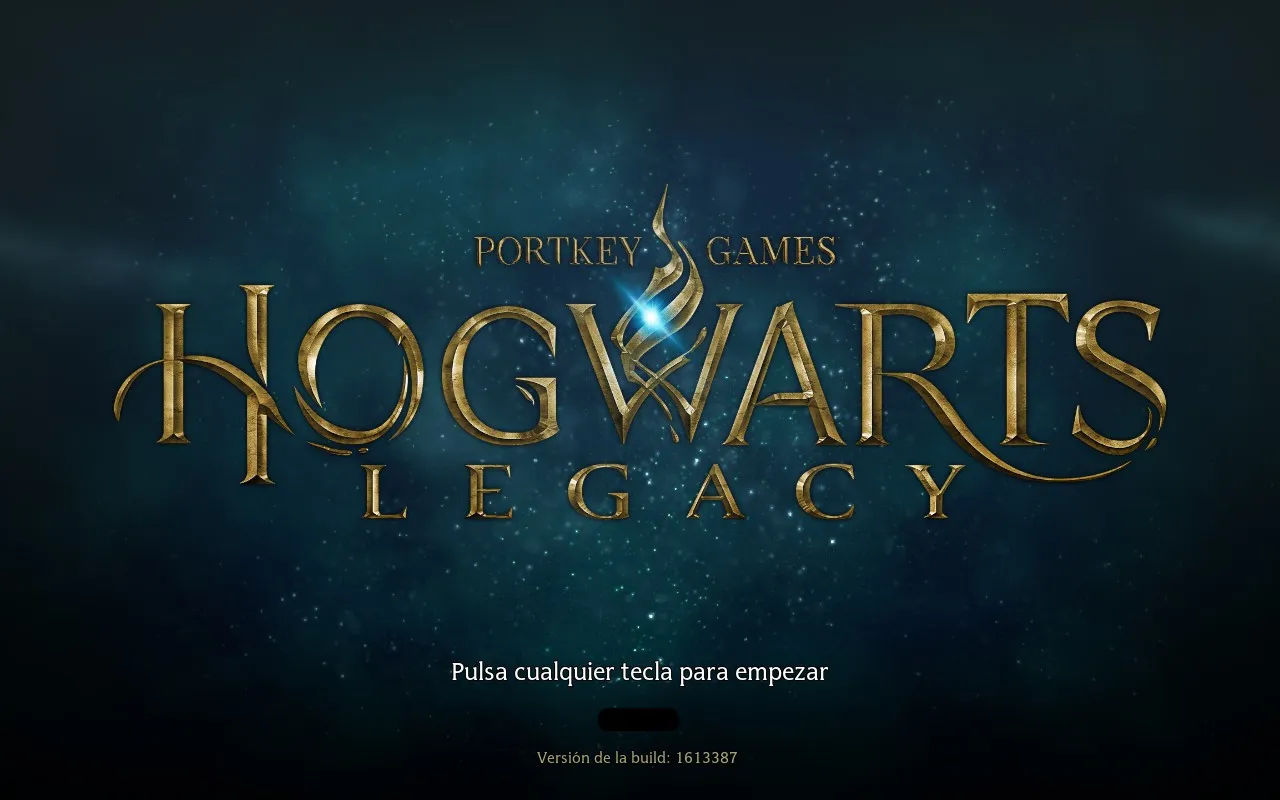
Title screen now displays in Spanish
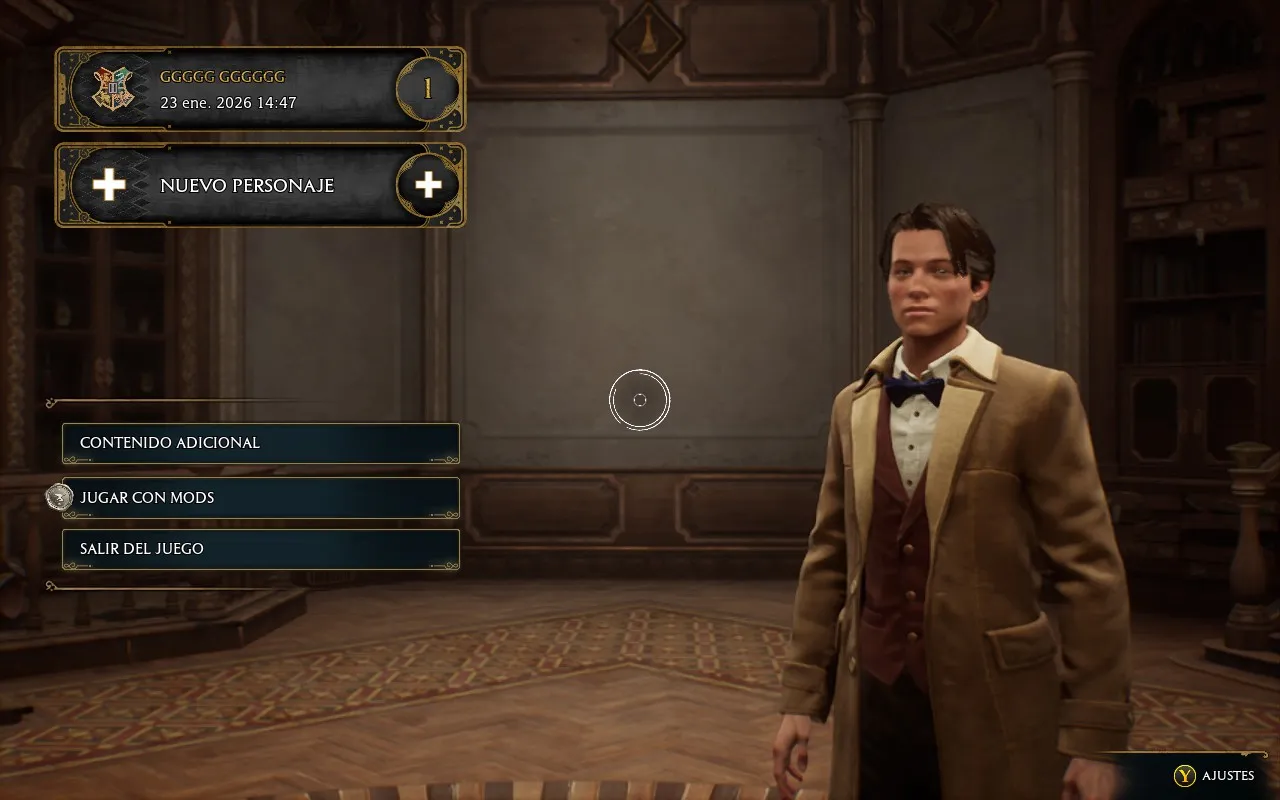
Main menu with Spanish text
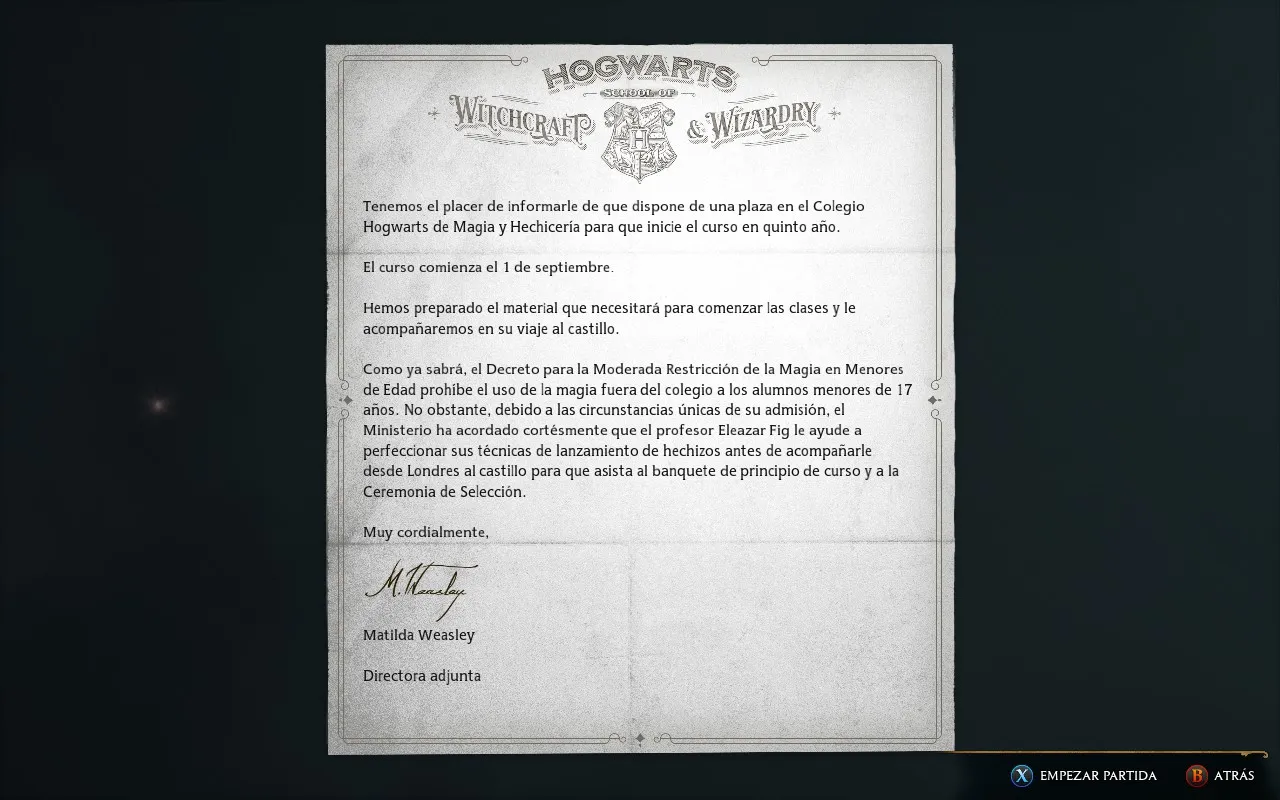
Hogwarts Letter fully translated to Spanish
Common Language Codes
Here are the most commonly used language codes. Replace es_ES in the example with your desired language:
export HOST_LC_ALL=es_ES.UTF-8
export LANG=es_ES.UTF-8
| Language | Code |
|---|---|
| English | en_US |
| German | de_DE |
| French | fr_FR |
| Spanish | es_ES |
| Italian | it_IT |
| Japanese | ja_JP |
| Korean | ko_KR |
| Chinese (Simplified) | zh_CN |
| Chinese (Traditional) | zh_TW |
| Portuguese (Brazil) | pt_BR |
| Russian | ru_RU |
Pro Tips
Hope this tip helps! Questions? Our team is always ready to help.
Cheers,
The Junk Store Team
Ready for seamless Steam Deck gaming?
🚀 Try Junk Store 2.0 Free for 7 DaysGame Mode native — the way handheld gaming should be
Have questions about this tip? Join our community on Discord or Reddit!